42 Operating your EFTPOS terminal
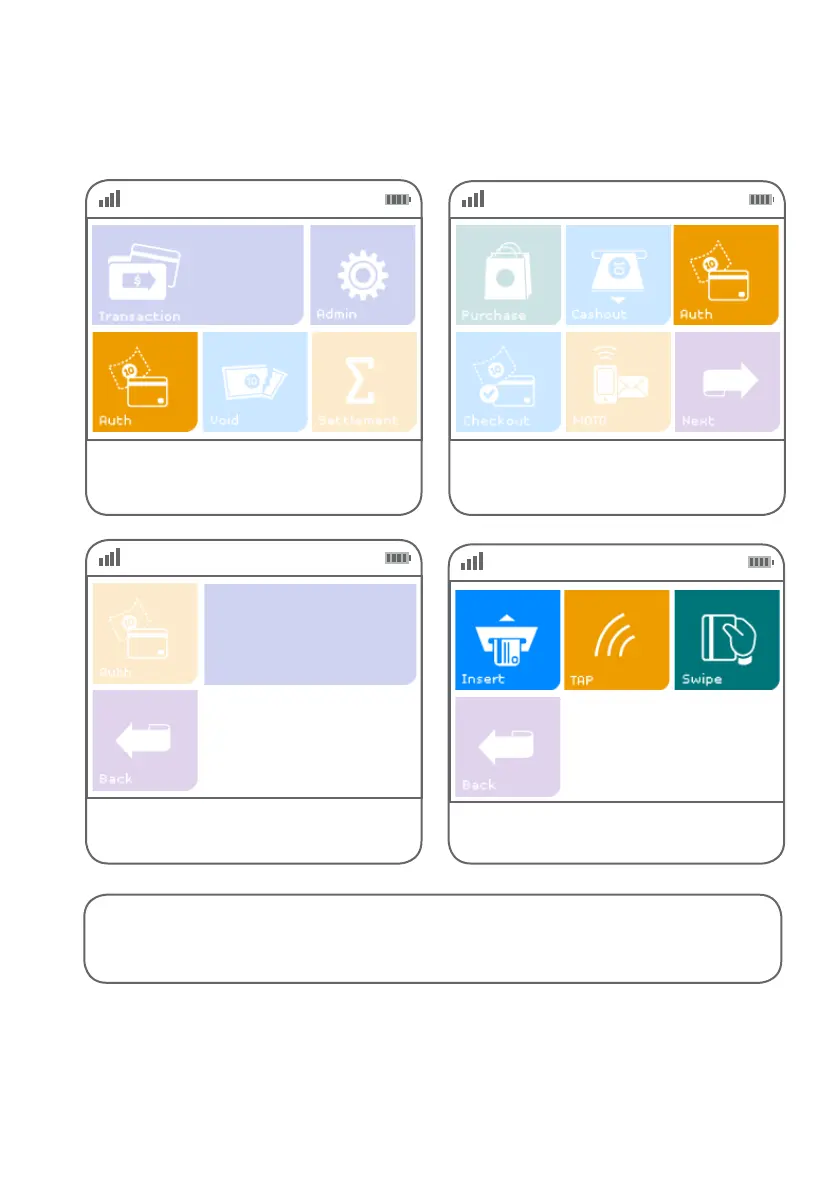
Processing a pre-authorisation transaction
Step 01 Step 02
Alternatively, if ‘Auth’ is not a congured hot
key, select ‘Transaction’, then select ‘Auth’ from
the transaction list.
Select ‘Auth’ from the main screen
if it is congured as a hot key.
(Refer to page 68 for details.)
Step 03
Key in the pre-authorisation amount and
press ENTER.
$0.00
Enter Amount
PREAUTH
Step 04
Insert, tap or swipe the card or manually
enter the card details
Instructions continue on next page >



 To Next Page