78 Operating your EFTPOS terminal
Shift change
Users can use the shift change function to manage shifts and obtain reports for each shift.
The user who changes the shift becomes the default user for transactions or operations that do not
require user authentication.
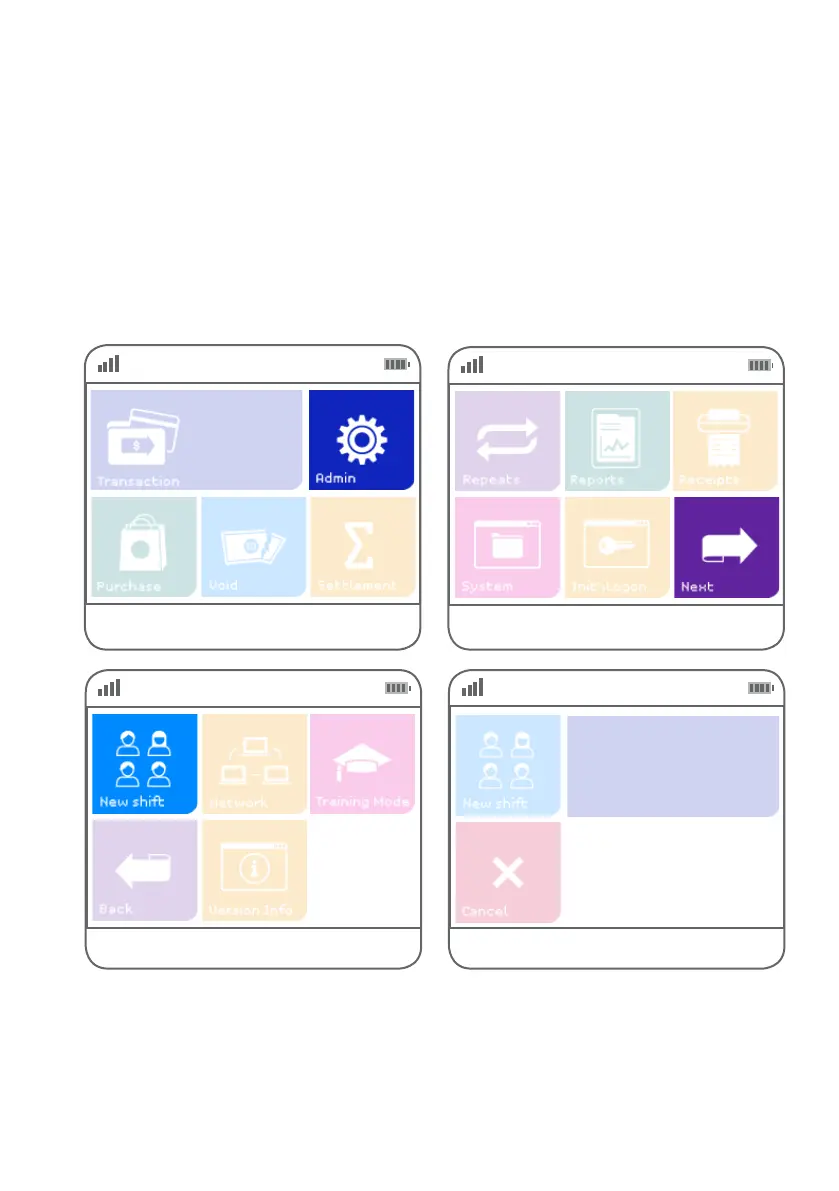
Use the following steps to manage shifts and obtain shift reports using the shift change function.
Step 01
Select ‘Admin’.
Step 02
Step 03
Select ‘Next’.
Select ‘Shift’.
Step 04
Key in your user ID and press ENTER.
User Name
NN



 To Next Page