31 Operating your EFTPOS terminal
‘Cash out’ transaction
Customers may choose to get cash out by using your terminal to debit their cheque or savings account
with or without making a purchase. Cash out is not allowed on a credit card account.
As the owner of the business, you may choose whether or not to provide this additional facility to
customers.
Cash out transaction with a purchase
To process a cash out transaction with a purchase, simply follow the steps outlined on page 24 of this
guide under ‘Purchase transaction’.
Cash out–only transaction
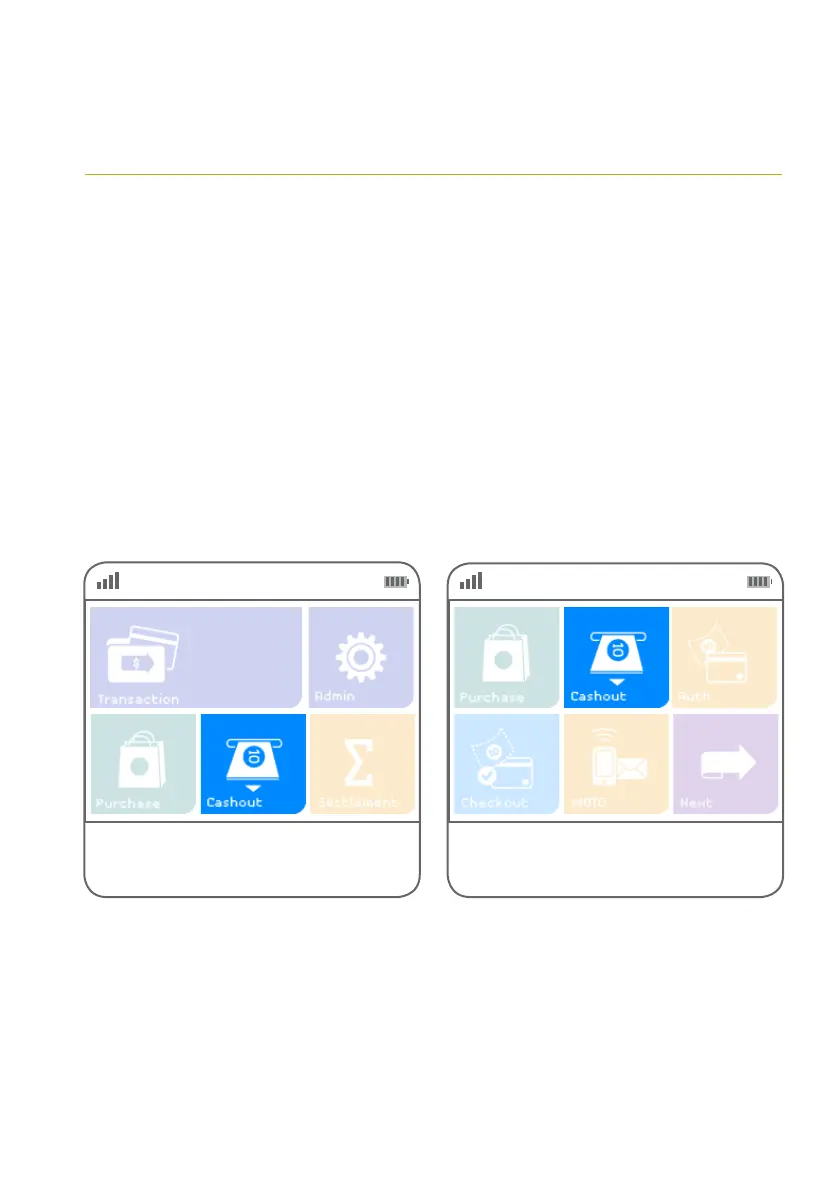
You may process a ‘cash out’ transaction without a purchase by following these steps.
Step 01 Step 02
Alternatively, if ‘Cashout’ is not a congured hot
key, select ‘Transaction’, then select ‘Cashout’
from the transaction list.
Select ‘Cashout’ from the main screen
if it is congured as a hot key.
(Refer to page 70 for details.)



 To Next Page