15 Get to know your terminal
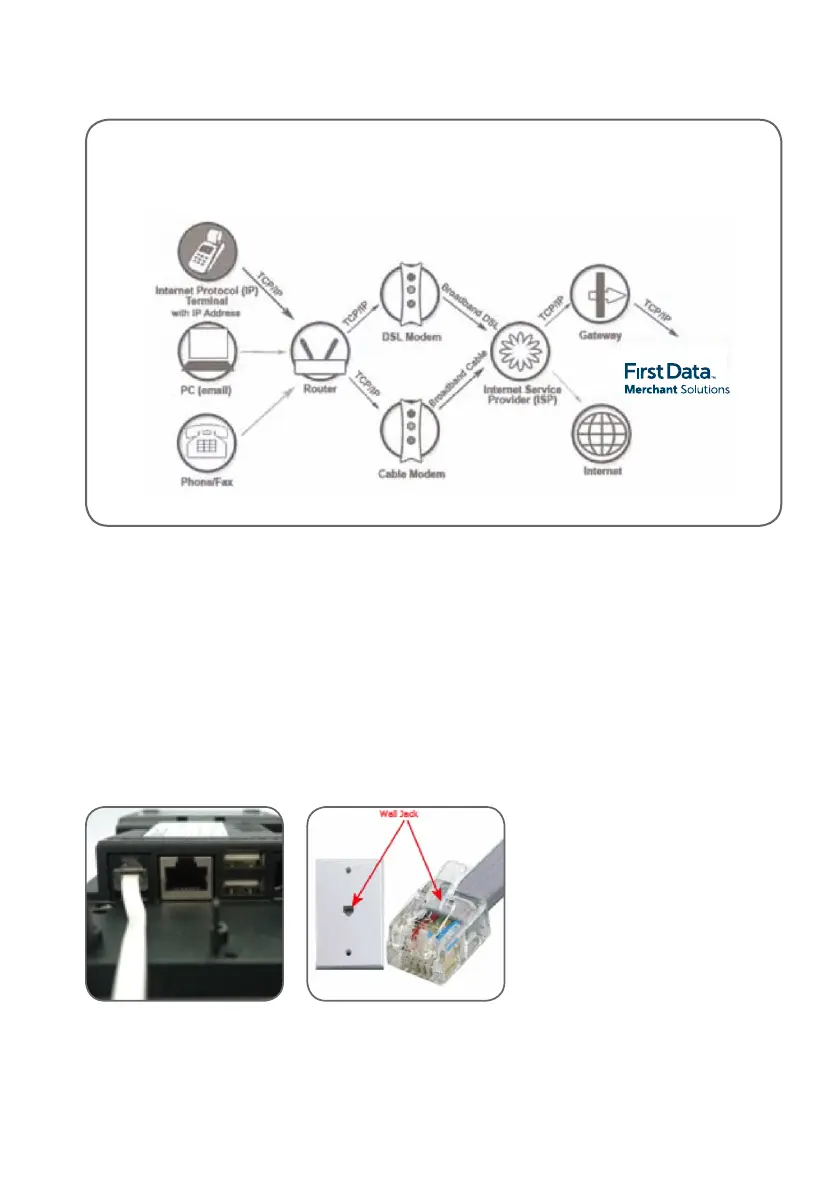
Dial-up
Your countertop EFTPOS terminal features a
phone cable input that allows you to connect
your terminal using a regular dial-up phone line.
To process transactions using a standard phone
line, simply connect from the communication port
on your
First Data EFTPOS terminal
directly to a telephone wall jack.
If the broadband connection fails and the terminal
is congured for a dial-up connection, it will
automatically switch to dial-up mode.
Below is an example of a possible network conguration that the EFTPOS terminal can use to
process transactions over IP/broadband Internet.



 To Next Page