22 Operating your EFTPOS terminal
Purchase transaction
This section describes how to complete a purchase transaction.
Note: Your terminal can be congured with three frequently used functions or ‘hot keys’.
Refer to page 76 for further details.
TIP
You can perform a purchase transaction in three simple steps.
Simply start keying in the transaction amount from either the idle screen (the main screen) or when the
terminal is in ‘screen saver’ mode and the terminal will recognise that you are undertaking a basic purchase
transaction.
This means if the purchase is performed as a contactless transaction, you can perform a transaction by
following the steps:
Step 1 – Type the purchase amount Step 2 – Present/tap the card Step 3 – Print the customer’s receipt
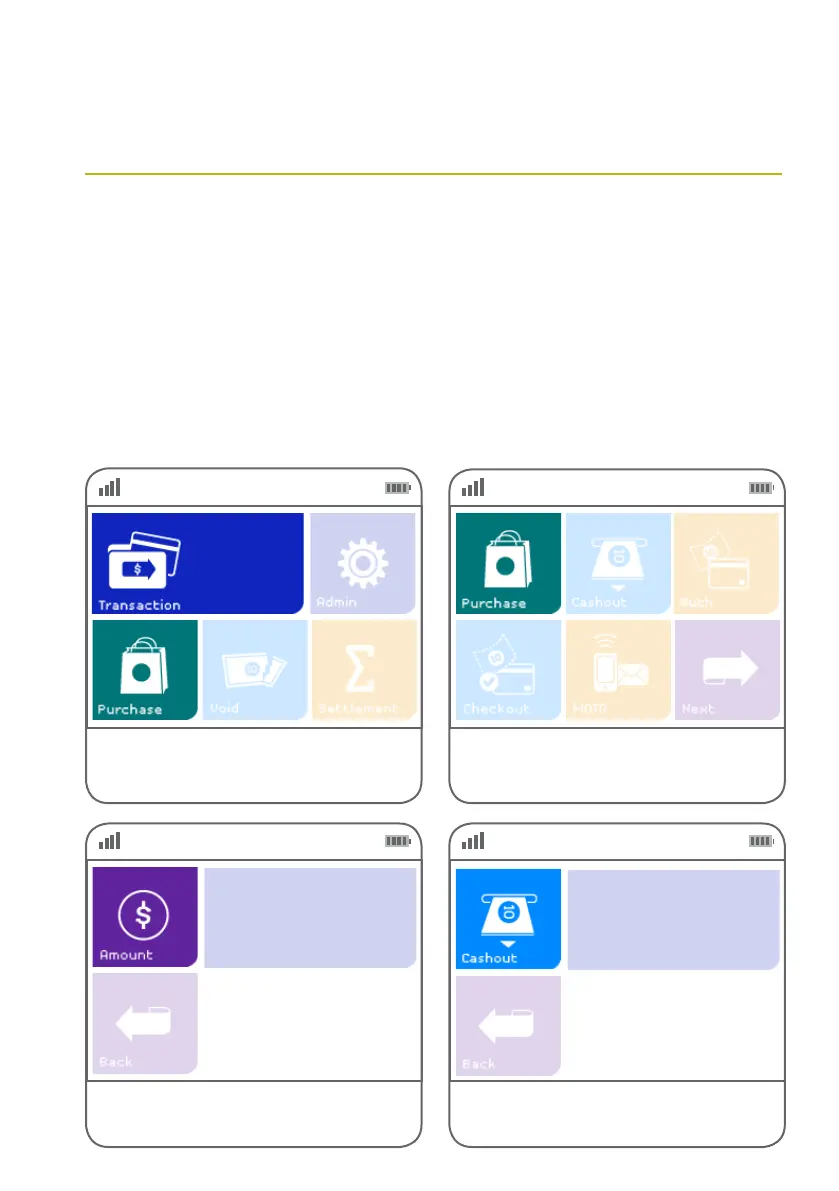
Step 01
Step 03
Step 02
Step 04
Key in the purchase amount and press the green
ENTER key on the keypad.
Alternatively, if ‘Purchase’ is not a congured hot
key, select ‘Transaction’, then select ‘Purchase’
from the transaction list.
Key in the cash out amount if required.
Select ‘Purchase’ from the main screen. If it is
congured as a hot key. (Refer to page 76 for details.)
$0.00
$0.00



 To Next Page