52 Operating your EFTPOS terminal
Step 05 Step 06
Step 07
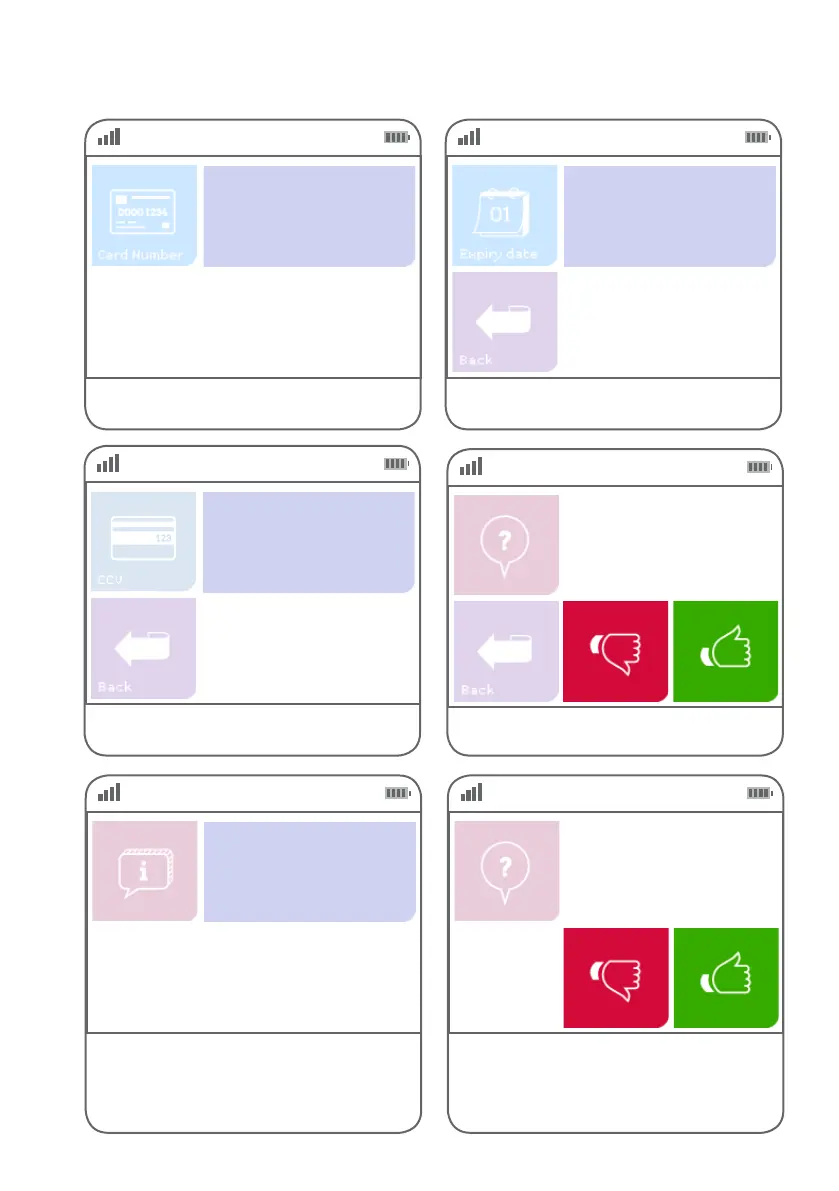
Key in the card number and press ENTER.
Key in the expiry date on the card
and press ENTER.
Key in the CCV number on the back of the card
and press ENTER.
NNNNNNNN
Enter Expiry
(MMYY)
NNNN
Enter CCV
NNN
Step 08
Press green ‘thumbs up’ button to conrm the
amount or the red ‘thumbs down’ button to cancel it.
ECI
Purchase: $$.$$
Total: $$.$$
Step 09
This screen indicates the terminal is attempting
to process the transaction.
EFTPOS in progress.
Please wait
Step 10
If the customer requires a copy of the receipt,
press the green ‘thumbs up’ button. If the
customer does not require a copy of the
receipt, press the red ‘thumbs down’ button.
Customer copy?



 To Next Page