55 Operating your EFTPOS terminal
Step 03
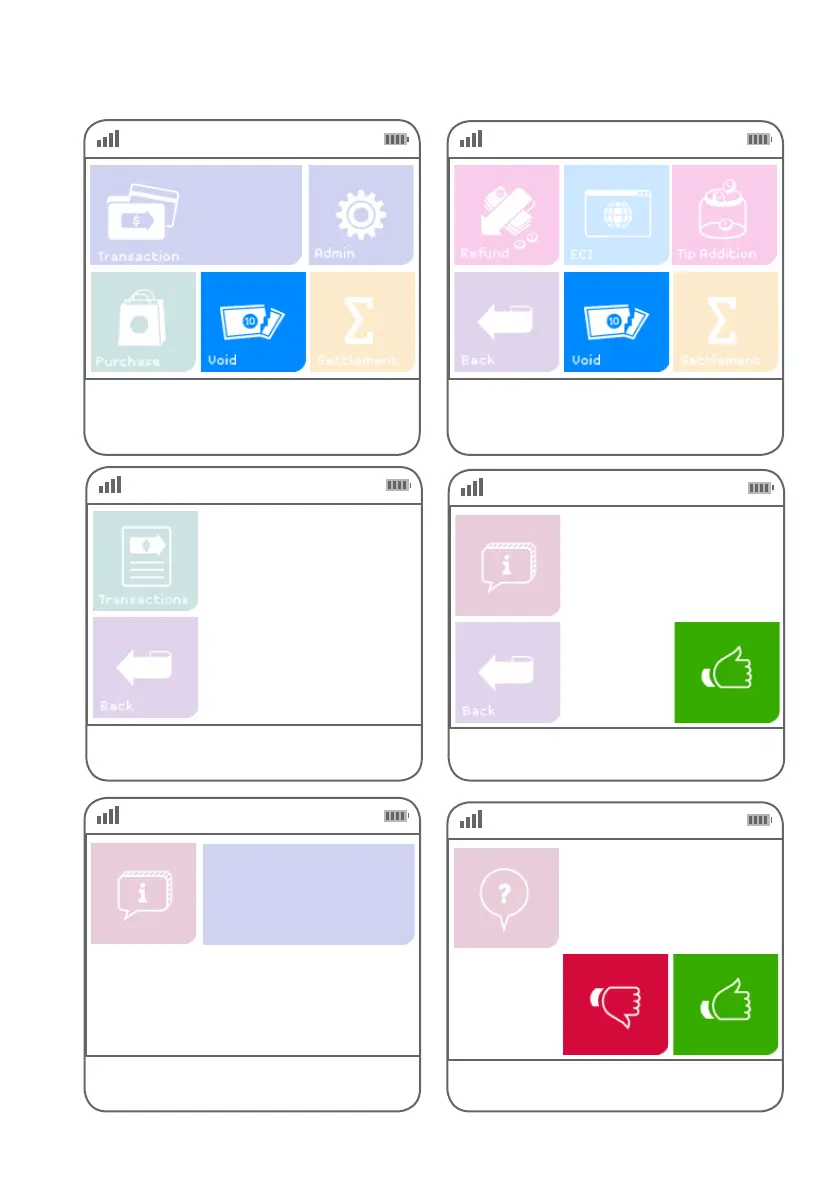
Select the transaction you need to void.
N. DD/MM $$$.$$
Step 04
Press the green ‘thumbs up’ button if the
transaction details are correct.
Auth ID NNNNNN
Inv # NNNNNN
Card
NNNN
Amount
$$.$$
Date dd/mm/yyyy
Step 05
This screen indicates the terminal is attempting
to process the transaction.
EFTPOS in progress.
Please wait
Step 06
If requested, verify the customer’s signature.
Signature Required
Signature OK
Step 01 Step 02
Alternatively, if ‘Void’ is not a congured hot key,
select ‘Transaction’, then select
‘Void’ from the transaction list.
Select ‘Void’ from the main screen if it is congured
as a hot key. (Refer to page 76 for details.)



 To Next Page