To build the bias correction, cf.
8.6 Bias/Flat correction with the HDR mode enabled.
To enable the HDR mode use the command:
“set hdr on”
To disable it:
“set hdr off”
To enable/disable the extended mode (unsigned 16 bits pixels).
“set hdr extended on” or “set hdr extended off”
The raw HDR mode is controlled by the “set rawimages on” and “set rawimages off”
commands.
You can get the current status of the previous parameters with the commands:
“hdr”
“hdr extended”
“rawimages”
Note: There is a limitation for the cropping geometry in HDR mode.
The range is from 96*72 pixels up to full sensor geometry.
AGC
The Auto Gain Control is not a readout mode but a functionality of the camera. In CDS mode, the camera
can automatically switch between gains to eliminate saturation or under exposure on the detector.
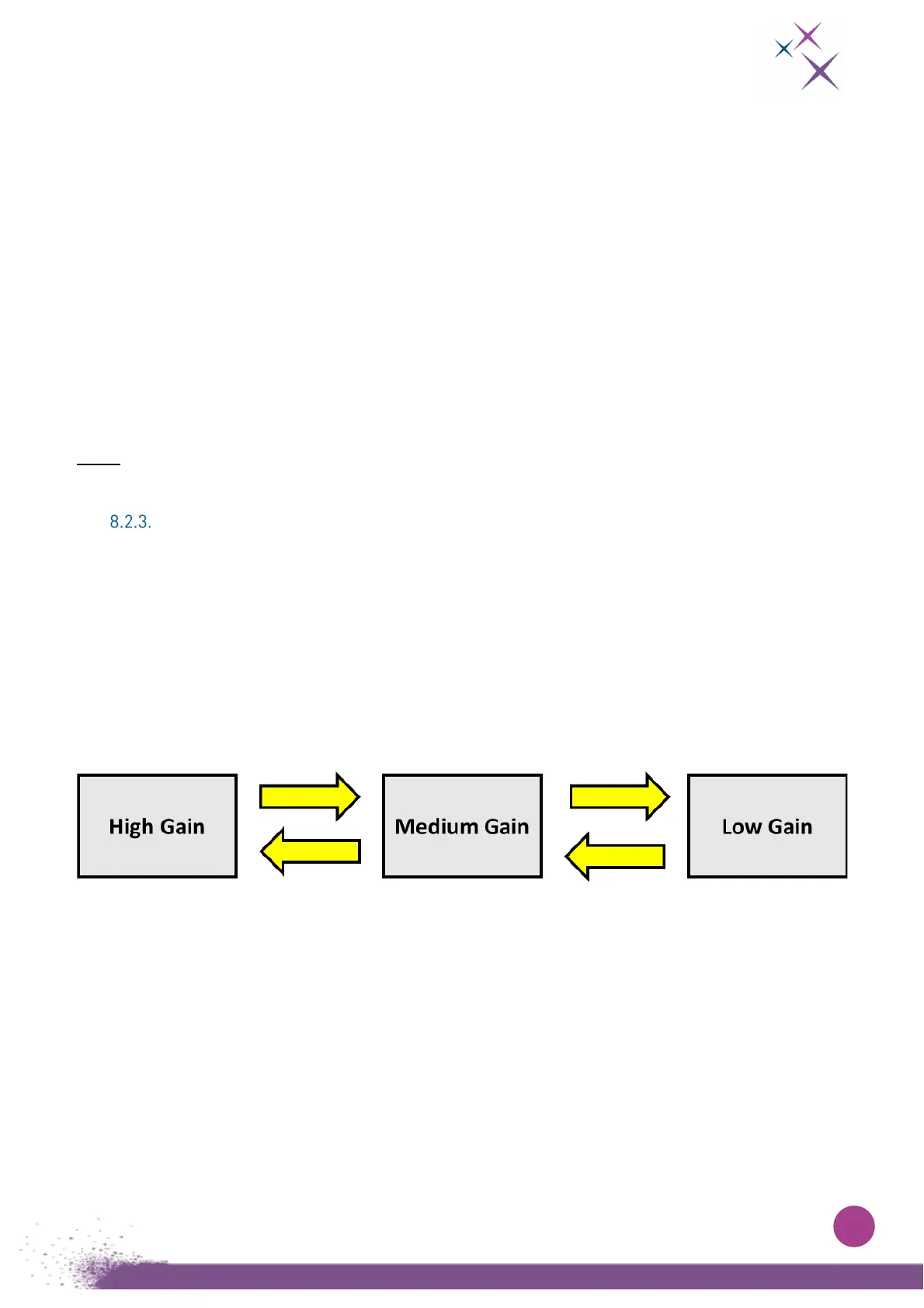
If enabled, the camera can switch:
- From High Gain to Medium Gain if over-exposition is detected on High Gain frame
- From Medium Gain to Low Gain if over-exposition is detected on Medium Gain frame
- From Low Gain to Medium Gain if under-exposition is detected on Low Gain frame
- From Medium Gain de High Gain if under-exposition is detected on Medium Gain frame
Figure 11:
Possible gain switch when AGC is enabled
For every transition, the user can set 3 parameters:
- Level of over or under-exposition
- Number of pixels over or under-exposed per frame
- Number of consecutives frames with pixels over or under-exposed
In Medium Gain, the user can adjust priorities of AGC algorithm:
- none: if saturation and under exposure are detected at the same time, no change
- over-exposed: if saturation and under exposure are detected at the same time, the camera
switches to Low Gain
- under-exposed: if saturation and under exposure are detected at the same time, the camera
switches to High Gain


 To Next Page