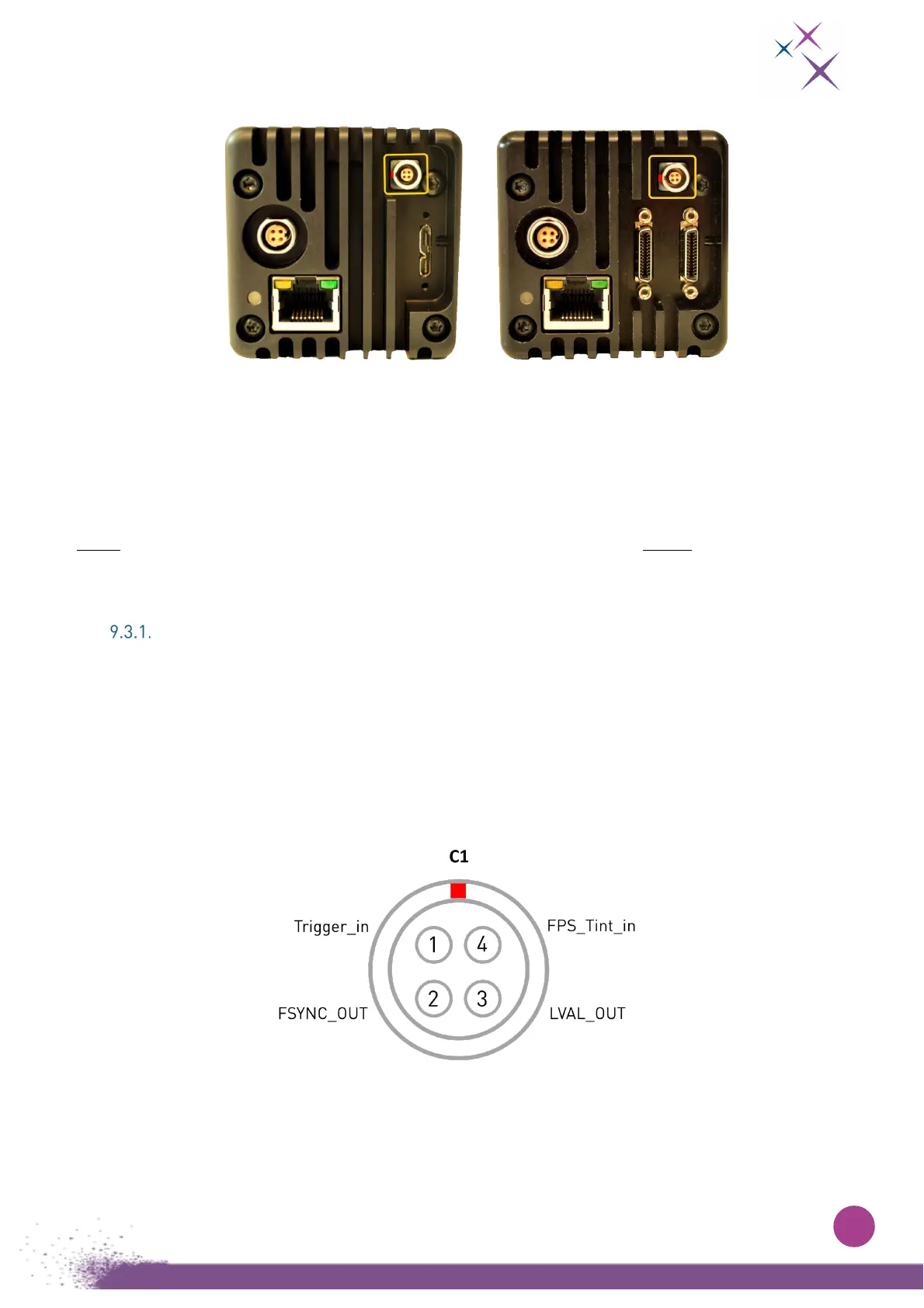
The camera is equipped with one sync connector on its rear side (see Fig. 21 :).
Figure 21:
C-RED 3 USB on the left and C-RED 3 CL on the right from the back.
The yellow box shows the sync connector C1.
To be connected on the external synchronization, use the command “set extsynchro on” in the
command line interpreter. If not, you will stay connected to the internal synchronization.
You can check if external synchro is on or off using the “extsynchro” command.
Note: Proper connection of external synchronization signals must be done before issuing the “set
extsynchro on” signal.
Cable assembly
You can make your own synchronization cable using FGG.00. 304.CLAD35 LEMO Male connectors in
association with a four-wire cable.
It is strongly advised to use shielded cable to respect Electromagnetic Compatibility (EMC)
recommendations.
This cable will allow you to use all the functionalities of the external synchro.
Wiring is detailed below:
Figure 22:
A C-RED 3 synchro female connector
The colors of the cable on the male end of the connector will correspond either to version A or to version
B of the wiring, as detailed bellow :


 To Next Page