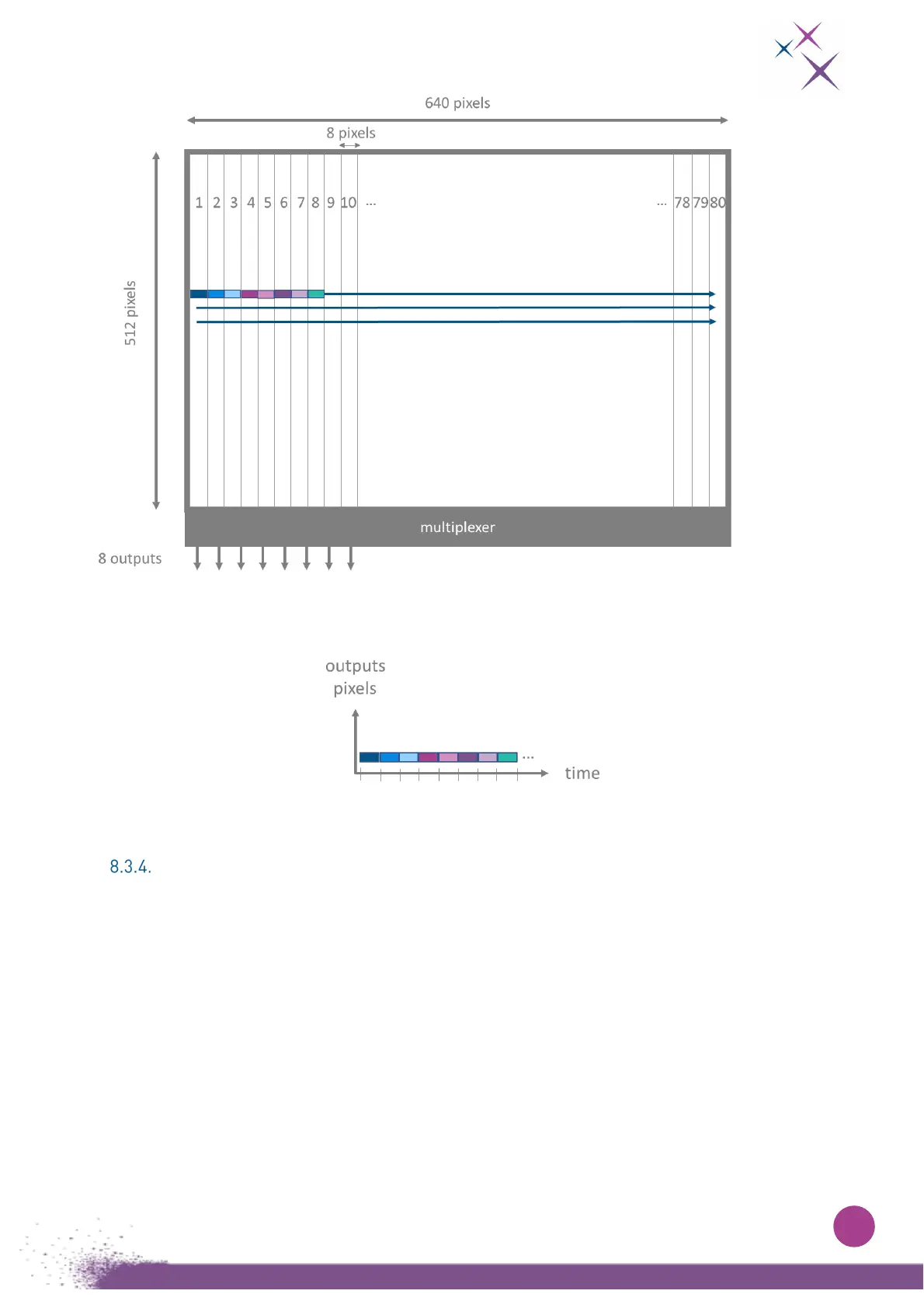
Figure 14:
Detector geometry and read out pixels scheme.
Figure 15:
Sensor outputs. Pixels are read from left to right and up to down.
Cropping mode
On the sensor, it is possible to select one region of interest and acquire data from this selected window
only.
Column granularity is 32 and line granularity is 4.
So, the starting column and line must be a multiple of 32 and 4 pixels, respectively.
In the same way, the width and the height of the window must also be a multiple of 32 and 4 (see Figure
16).
The intersection of both lines and columns forms the readout window.
Pixels are sent like in full frame mode, from left to right and up to down (see Figure 18).


 To Next Page