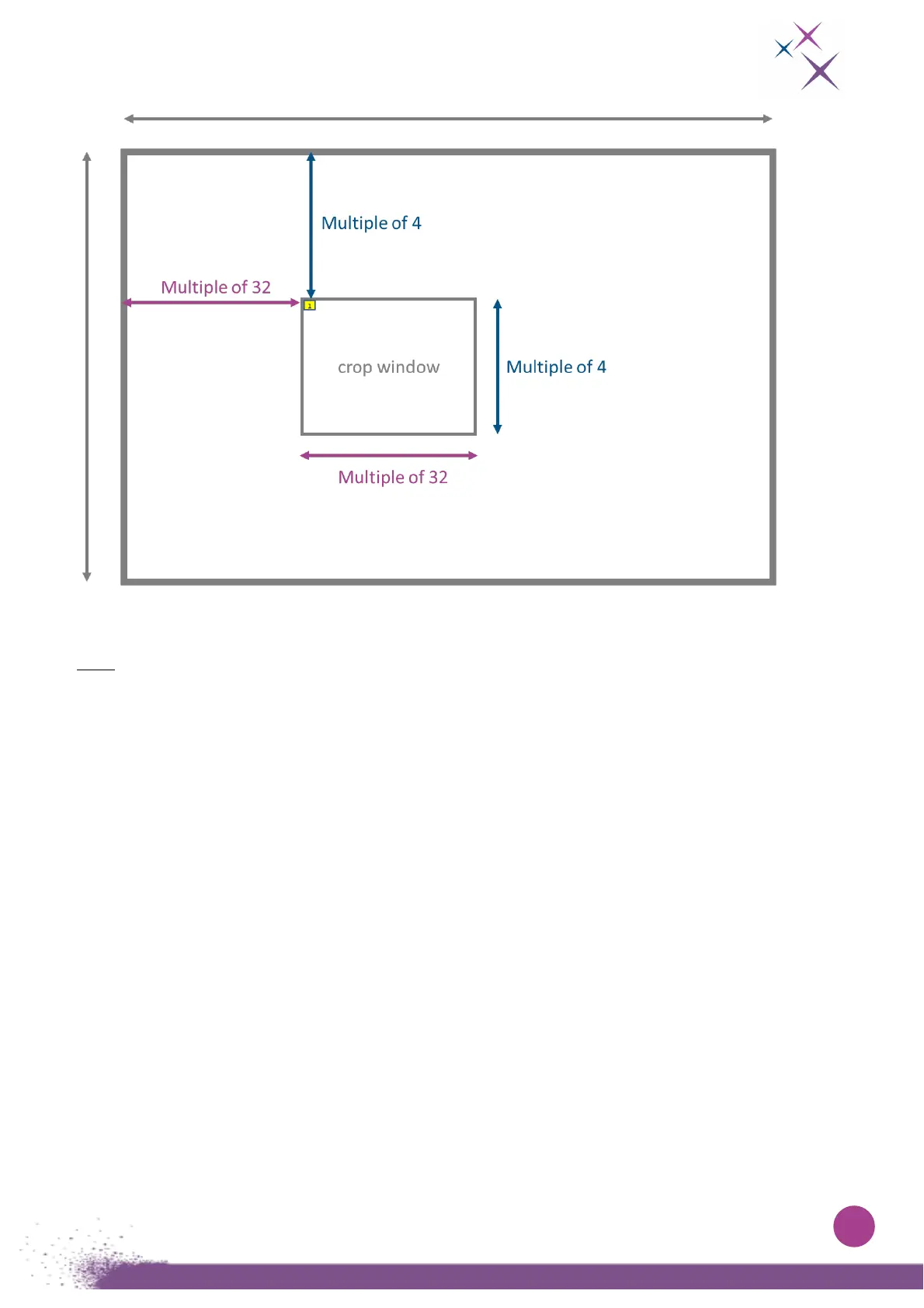
Figure 16:
Descriptive scheme of a cropping window.
Note: To set a cropping window using the command line interpreter, the user must indicate the starting
column, the ending column, the starting row and the ending row.
To set the columns use the command:
“set cropping columns xxx-www” where xxx is the starting column and www the ending column.
To set the rows, use the command:
“set cropping rows yyy-zzz” where yyy is the starting row and zzz the ending row.
The defined cropped area is active only when the cropping is enabled. To switch it respectively on or
off, use the commands “set cropping on” or “set cropping off”.
As for any other commands you can get the current value with the same command without the “set”
keyword.



 To Next Page