Locking and Unlocking the Vehicle
Locking and Unlocking the Vehicle
Vehicle SecurityLocking and Unlocking the Vehicle
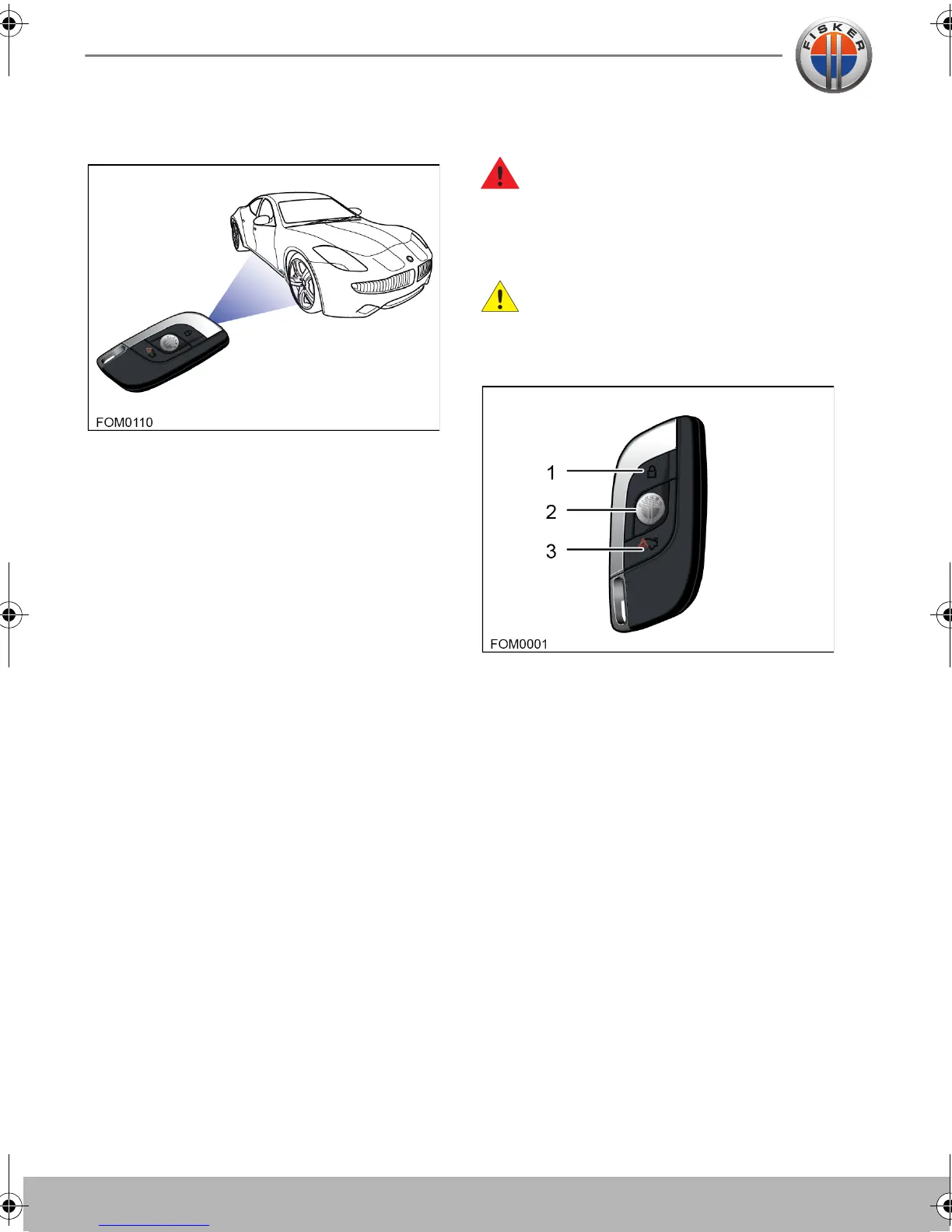
ABOUT THE KEY FOB
The security system, entry to the vehicle
and starting the vehicle are controlled by
the key fob. The doors and the trunk can be
locked and unlocked using the key fob
buttons.
You have been supplied with two key fobs
which also have an emergency key blade.
Obtaining replacement keys and key
fobs
If you lose a key fob or an emergency key
blade, contact your local Fisker Retailer to
obtain a replacement.
When ordering a new key fob, bring all
available key fobs for the vehicle to your
Fisker Retailer to allow the system to be
reprogrammed. If a key fob or the key
number is not available, your Fisker Retailer
can obtain the key code from a restricted
access database.
USING THE KEY FOB
WARNING: Always remove the key
fob from the vehicle if children or
animals are to be left unsupervised in the
vehicle. Accidental operation of the
vehicle's systems may result in injury.
CAUTION: Remove all key fobs from
the vehicle when it is left unattended.
This will ensure the vehicle is left in a secure
condition.
The buttons on the key fob operate as
follows:
1. Lock
• Press once to lock the vehicle and
activate the vehicle’s security system.
The vehicle lights will briefly flash to
confirm the alarm is active.
2. Unlock
• Press once to unlock the driver's door.
• Press twice to unlock all the doors.
• Press and hold to activate the express
window down function.
Owner's Handbook - US English.book Page 2 Friday, June 22, 2012 11:28 AM


 To Next Page