Starting and Driving
Starting and Driving
STARTING THE VEHICLE
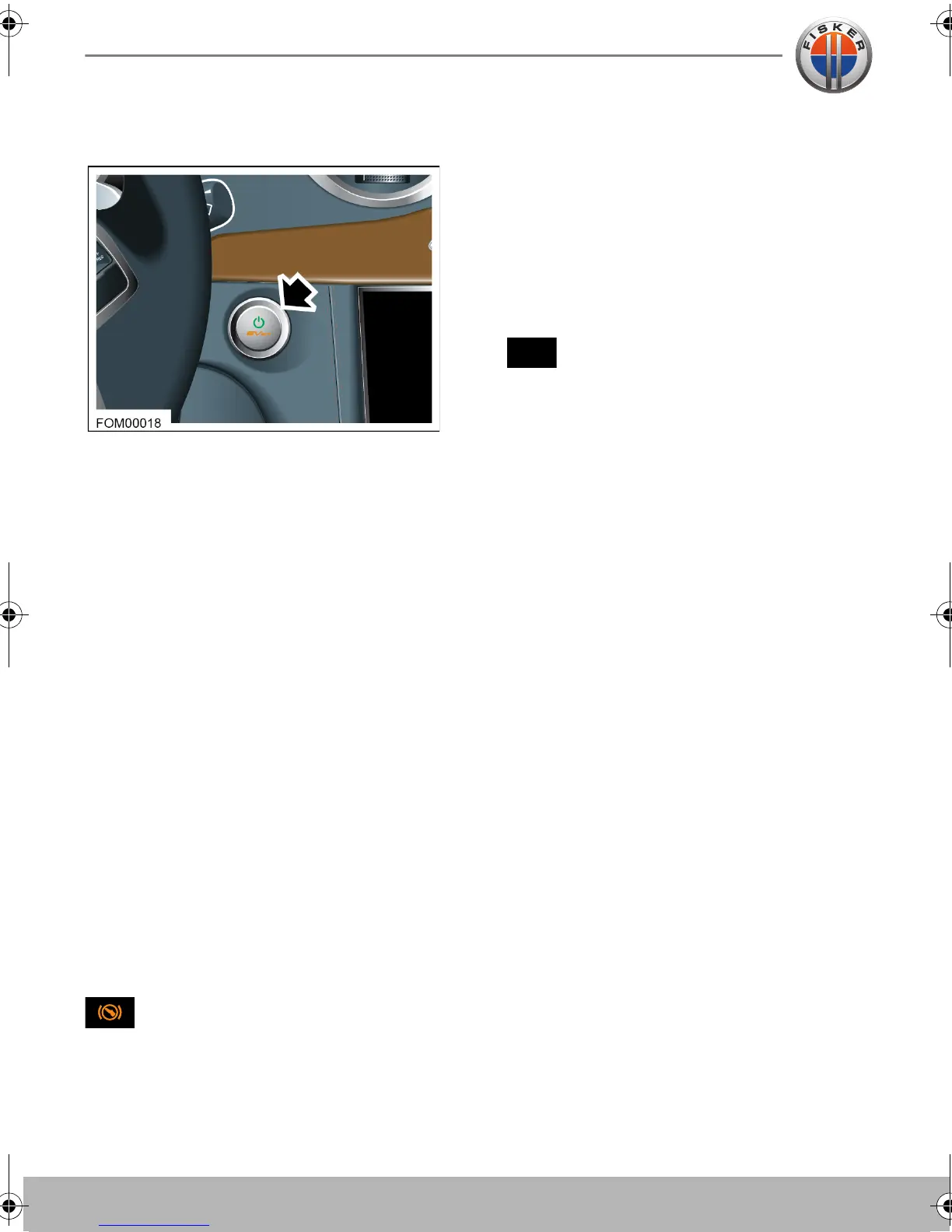
The Start/Stop button is used to put the
vehicle into Accessory and Drive modes.
Note: The Start/Stop button will only be
operational if a valid key fob is detected
within the vehicle.
Accessory mode
In Accessory mode, all the electrical
features and controls, except the heating
and air conditioning system, can be
operated but the vehicle can not be driven.
To put the vehicle in Accessory mode:
1. Ensure the vehicle the key fob is inside
the vehicle.
2. Make sure the brake pedal is NOT
applied.
3. Press the Start/Stop button.
The vehicle enters Accessory mode and
the indicator lights on the instrument
cluster illuminate briefly.
4. The amber indicator light on the
Start/Stop button will illuminate.
The brake pedal indicator light will
illuminate in the instrument cluster.
Note: If left in Accessory mode, the vehicle
will automatically turn itself off after 10
minutes.
Drive mode
In Drive mode, the vehicle’s high voltage
electrical system is engaged allowing the
vehicle to be driven.
To put the vehicle in Drive mode:
1. Ensure the key fob is inside the vehicle.
2. Depress the brake pedal.
3. Press the Start/Stop button.
Once the vehicle enters Drive
mode, a steady READY indicator
message is displayed in the instrument
cluster.
Note: If the READY indicator message
flashes, a fault has been detected.
4. The green indicator light on the
Start/Stop button will illuminate.
5. After a short interval the READY
message will change to STEALTH.
Note: Drive mode can be selected from
either OFF or Accessory mode.
Turning off the vehicle
To turn off the vehicle:
1. Ensure the P (Park) is selected.
2. From either the Accessory or Drive
mode, press the Start/Stop button to
turn the vehicle off.
Note: The vehicle cannot be put into
Accessory mode if the vehicle is in motion.
READY
Owner's Handbook - US English.book Page 20 Friday, June 22, 2012 11:28 AM


 To Next Page