Touch-screen
USING THE TOUCH-SCREEN
WARNING: Only operate, adjust or
view the touch-screen when it is safe
to do so. If necessary, stop the vehicle to
make changes, or safely operate features of
the touch-screen system.
The touch-screen can be operated
whenever the vehicle recognizes a key fob
within the vehicle.
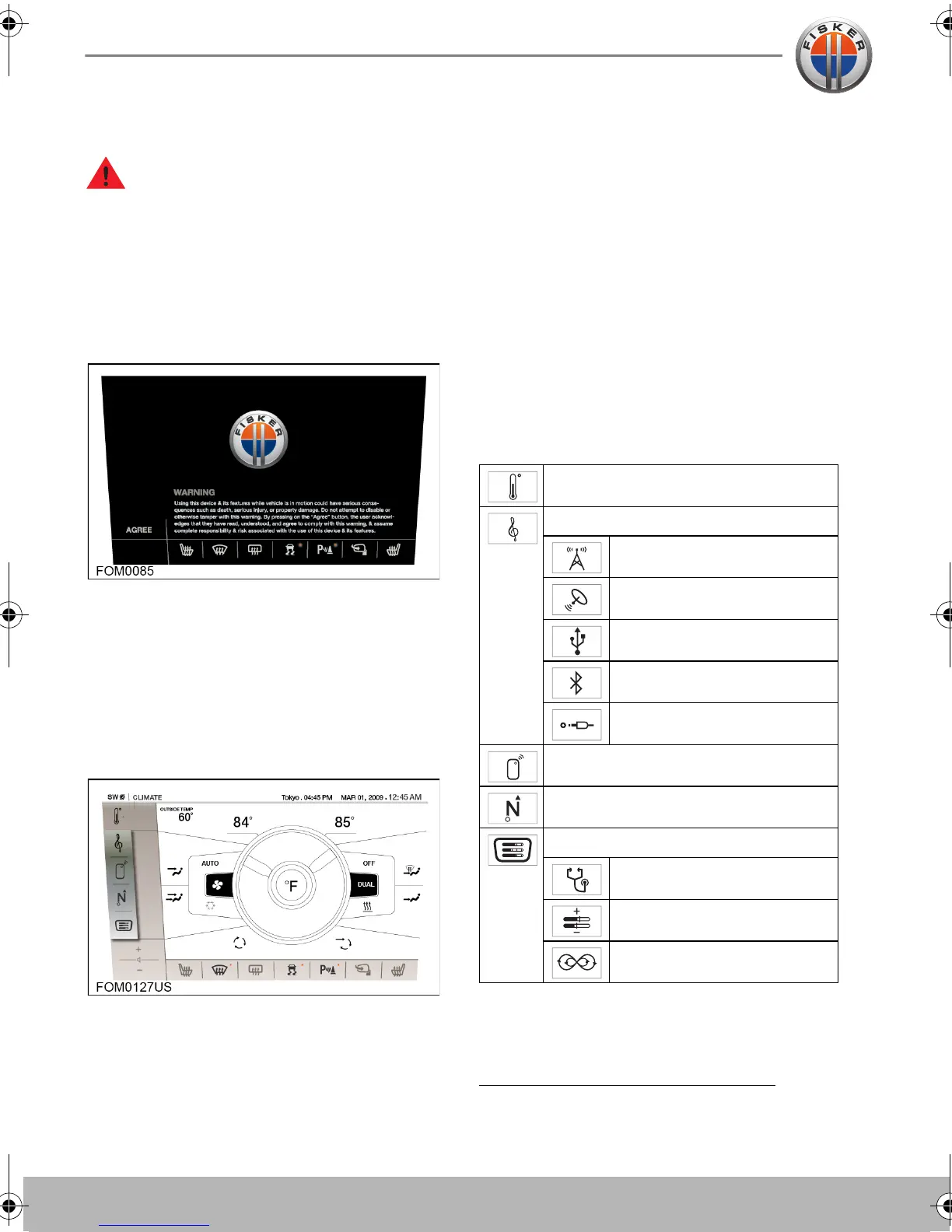
Immediately after start-up, the touch-
screen will display a message warning you
off the dangers of operating the touch-
screen while the vehicle is in motion.
You must touch AGREE to confirm you are
aware of these dangers before you can
operate any of the touch-screen features.
The touch-screen has two main areas of
control. Icons down the left-hand side
which control features of the touch-screen,
and icons along the bottom which control
features on the vehicle.
To activate a feature, touch its respective
icon with your finger. Ensure that only one
finger at a time is in contact with the screen,
to prevent incorrect entries.
Note: A short, light press is sufficient to
operate functions. Do not use excessive
pressure.
Touch-screen features
Touching the icon for a feature will change
the main display to the appropriate screen
and give you access to additional options.
Below is a list of the top level features for
the system:
Note: For your convenience, you can
change between the touch-screen features
using the voice command system. See
Voice Command System
, page 5.34.
Climate
Audio
Radio
Satellite Radio
USB Audio
Bluetooth Audio
AUX (Auxiliary) Input
Phone
Navigation
System
Diagnostics
Settings
Energy flow
Owner's Handbook - US English.book Page 12 Friday, June 22, 2012 11:28 AM


 To Next Page