Glove Compartment and Valet Mode
Glove Compartment and Valet Mode
Glove Compartment and Valet Mode
GLOVE COMPARTMENT
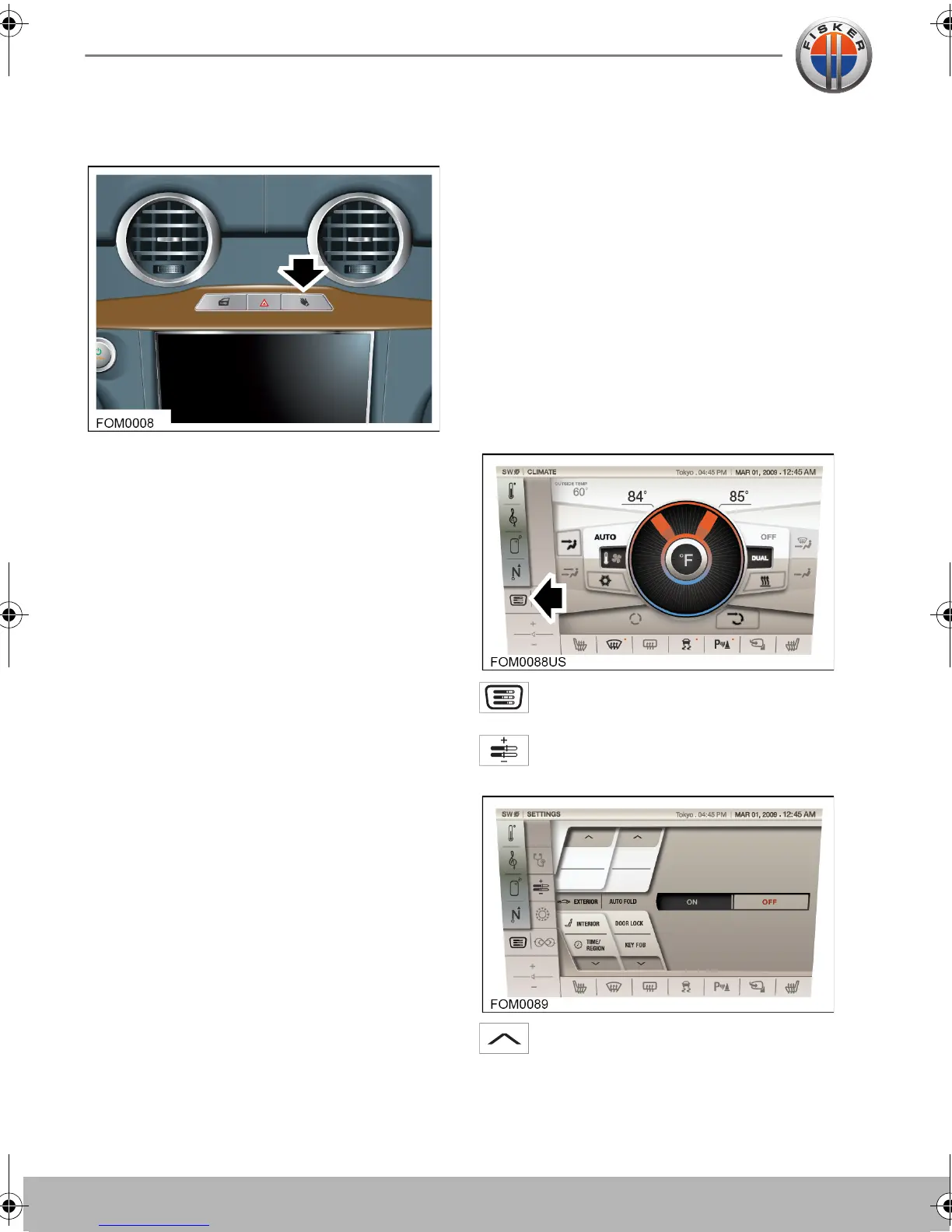
To open the glove compartment, press the
switch located above the touch-screen.
Note: The glove compartment cannot be
opened when the vehicle is locked or when
Valet mode is enabled.
VALET MODE
For your peace of mind, your vehicle has a
Valet mode for those times that your vehicle
is parked by another person.
When Valet mode is active, access to the
trunk and glove compartment is restricted,
providing a secure location for storing
personal items.
Valet mode can only be deactivated by
entering a PIN (Personal Identification
Number).
Activating Valet mode
To activate Valet mode, touch the
SYSTEM icon on the touch-screen.
Touch the SETTINGS icon to access
the vehicle settings area.
Use the up arrows to change the
currently displayed settings to
EXTERIOR | VALET MODE.
Owner's Handbook - US English.book Page 8 Friday, June 22, 2012 11:28 AM


 To Next Page