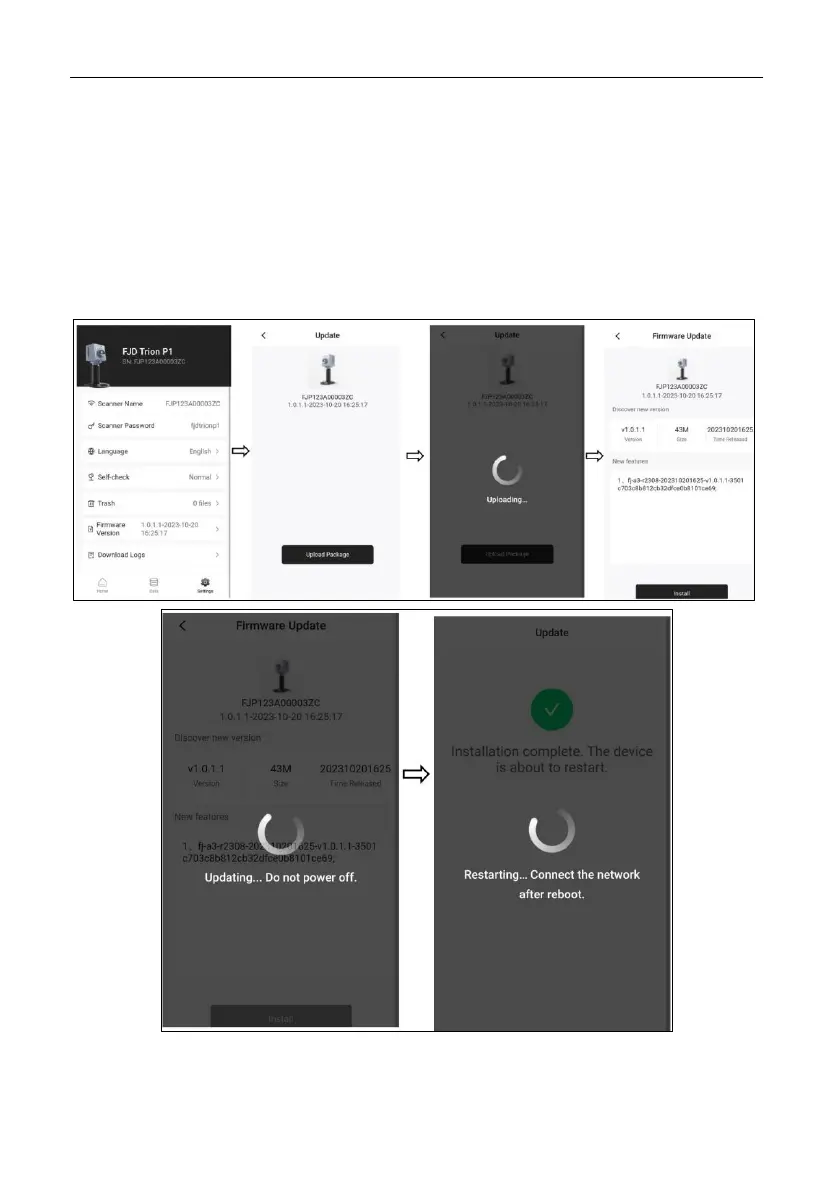
3.2.5 Updating Firmware
Tap Settings at the bottom, Select Firmware Version, and then tap Upload Package.
After the package is uploaded, tap Install on the package information pop-up (version
number, package size, and release time). Do not power off P1 during the update. When
the process is completed, P1 is restarted automatically. When the status indicator of the
power button turns from flashing green to solid green, connect your phone to the P1 W-
Fi.


 To Next Page