3.3.3 Calculating the Calibration Parameters in FJD Trion Model
1. Select data for calibration: Select one or more (no more than three) point cloud files
under Objects as required. To select multiple files, press and hold the Ctrl key and click
the target files.
2. Enter the calibration screen: Click on the Start tab. The following window
appears:
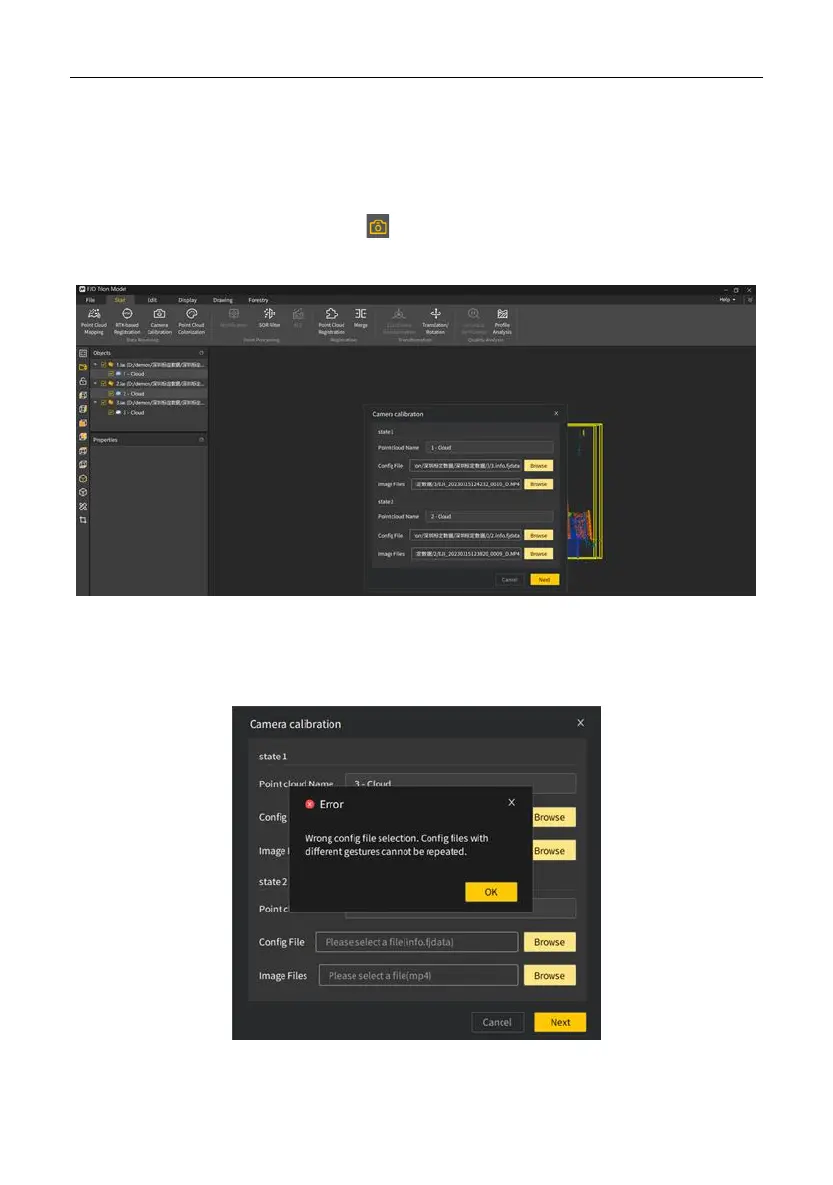
3. Select configuration files: Select the configuration file and image file for each point
cloud, and click Next to select points for calculation. The following message appears
when an incorrect configuration file is selected.


 To Next Page