4.5 Walking Speed
You are recommended to walk at a constant speed (1 m/s) in common environments, and
reduce the speed to 0.5 m/s or lower when passing through narrow spaces, such as
corridors, tunnels, and stair corners, so that P1 can effectively and fully scan the spaces to
ensure the output accuracy.
4.6 Scanning Range
P1 has an effective range of 0.5 m to 70 m.
Minimum distance: To obtain accurate point cloud data, P1 must be at least 0.5 m from
the targets. Avoid close proximity to walls and ceilings. Data may not be obtained on both
sides in narrow spaces, so walk in the middle area where possible.
Maximum distance: In optimal conditions, P1 is able to obtain data of targets at a
maximum distance of 70 m. In most cases, the scanning accuracy can be guaranteed at a
distance up to about 40 m. To ensure the point cloud quality, it is recommended to use P1
at a distance of about 30 m.
4.7 Scanning Duration
For overly large surveys, divide the project into multiple scan tasks, to keep the map size
at a proper level and avoid saving failures due to limited storage space. Limit each scan
task within 20 minutes.
4.8 Special Scenario
Scenario: corridor (narrow space)
P1 may deliver poor performance when scanning corridors over 80 m with smooth walls
on both sides and few features. In such corridors or similar scenarios, follow the guidance
below to ensure mapping accuracy:
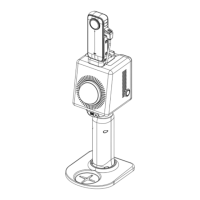
1. Hold P1 properly: Tilt P1 at an angle of 70° to 90° as shown below.


 To Next Page