3.3.4 Colorizing the Point Cloud in FJD Trion Model
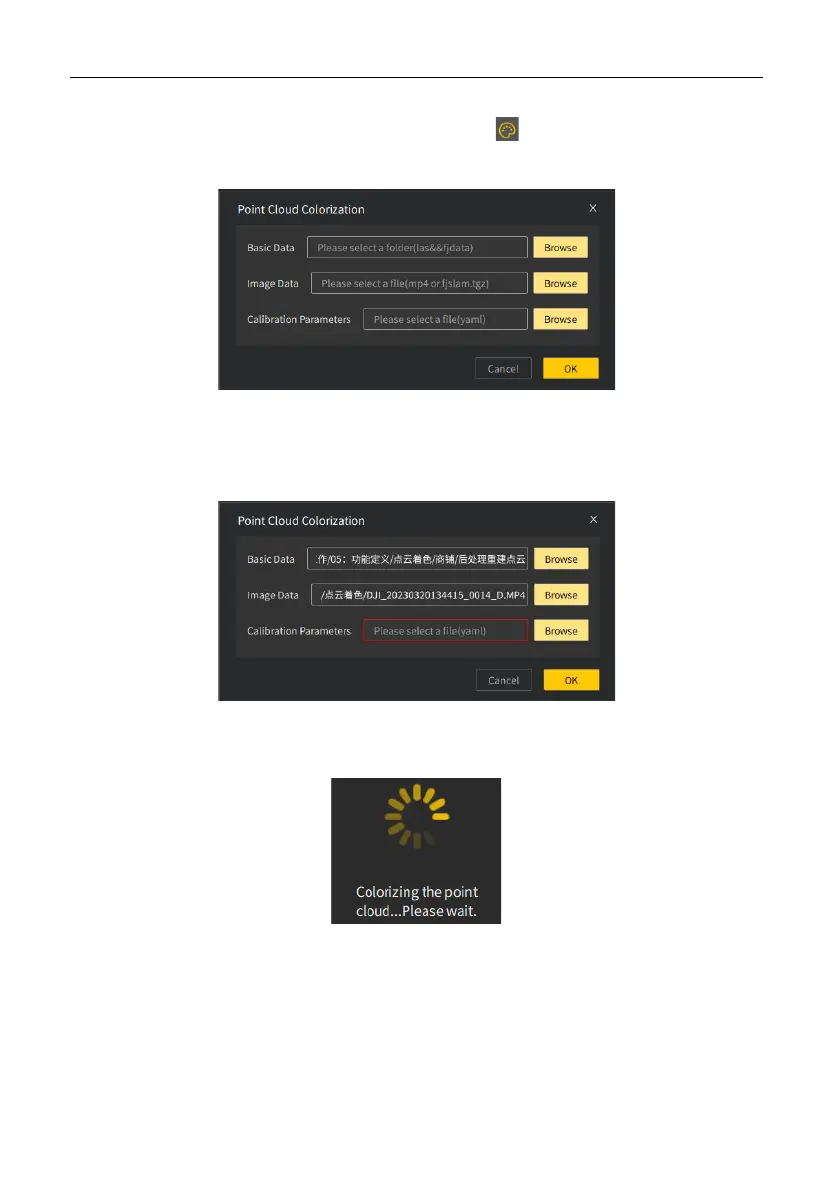
1. Open the Point Cloud Colorization window: Click on the Start tab. The
following window appears:
2. Select data: Select files for the basic data (.las or .fjdata), image data (.mp4
or .fjslam.tgz), and calibration parameters (.yaml). If any required field is empty, the
input box becomes red when you click OK.
3. Start colorization: Click OK to start point cloud colorization. The following message
appears:


 To Next Page