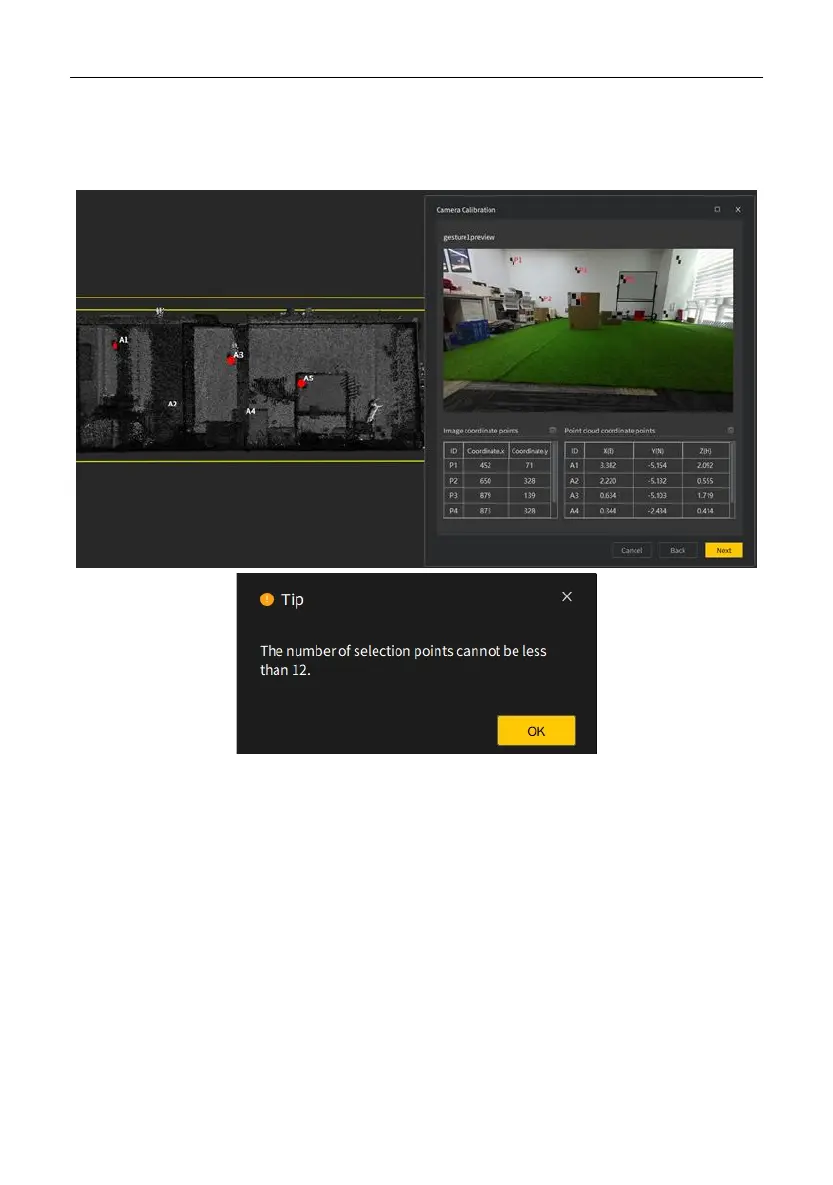
4. Select target points: Select the same number of target points on the preview image
and the point cloud. The point number must be at least 12. Otherwise, the following
message appears when you click Next.
5. Start calculation: Click Browse to name the calibration file and select the storage path,
click Save, and then click OK.


 To Next Page