FlashCut CNC Section 6 Drive Settings
Configuring the Drives
Selecting a
M
o
t
o
r
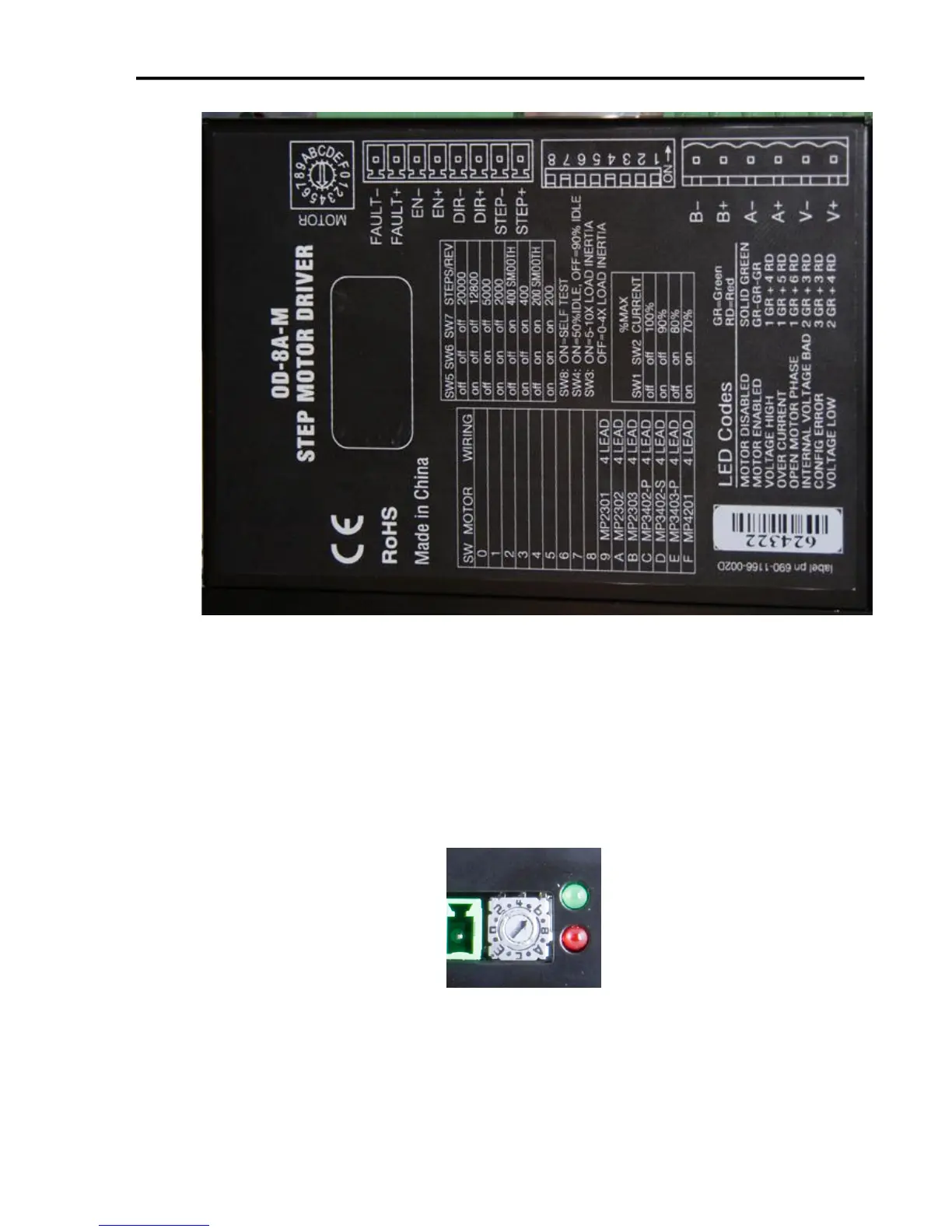
The drives are optimized for use with selected variety of stepper motors.
Each setting matches the current and inertia of a given motor providing the
most power with minimum resonance. To select a motor, simply move the
rotary switch to the letter or number that corresponds to the motor of your
choice. Make sure the power is off before changing this setting, or damage
could occur to your motor or drive.
If your motor is not on the list please set the switch to a selection whose rotor
inertia, holding torque and current are within 10% of your motor.


 To Next Page