Dreamer NX User Guide | www.flashforge.com
!Notice: In STA mode, there may be the risk that Dreamer NX couldn’t be
connected via WiFi forever, if STA mode is set in error.
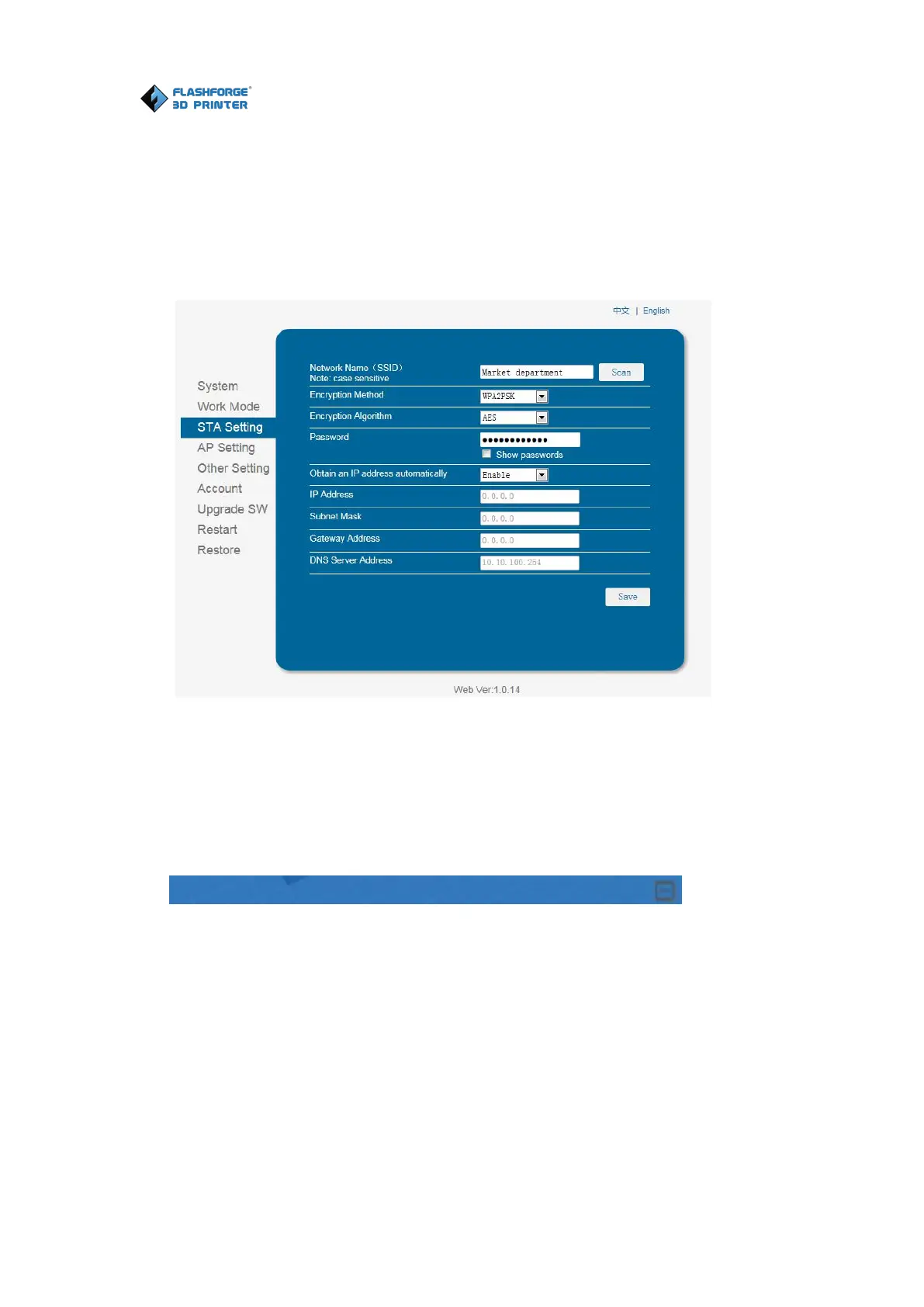
6. Click on [STA Setting], enter the corresponding password, save the
information and restart to take effect. Your PC connect the network, which was
7. Open FlashPrint, click[Print]--[Connect Machine]. Under “Connection
Mode”, select Wi-Fi, and enter the “IP Address” as shown on printer touch
screen. Then, click [Connect].
8. If successfully connected, you will see the following red mark.
Click [Print]--[Disconnect] to disconnect your PC and Dreamer NX.
6.2.14 Tool Menus
①Control Panel
After connecting PC with Dreamer, click [Tools]--[Control Panel] to open the















 To Next Page