FLASHFORGE 3D PRINTER
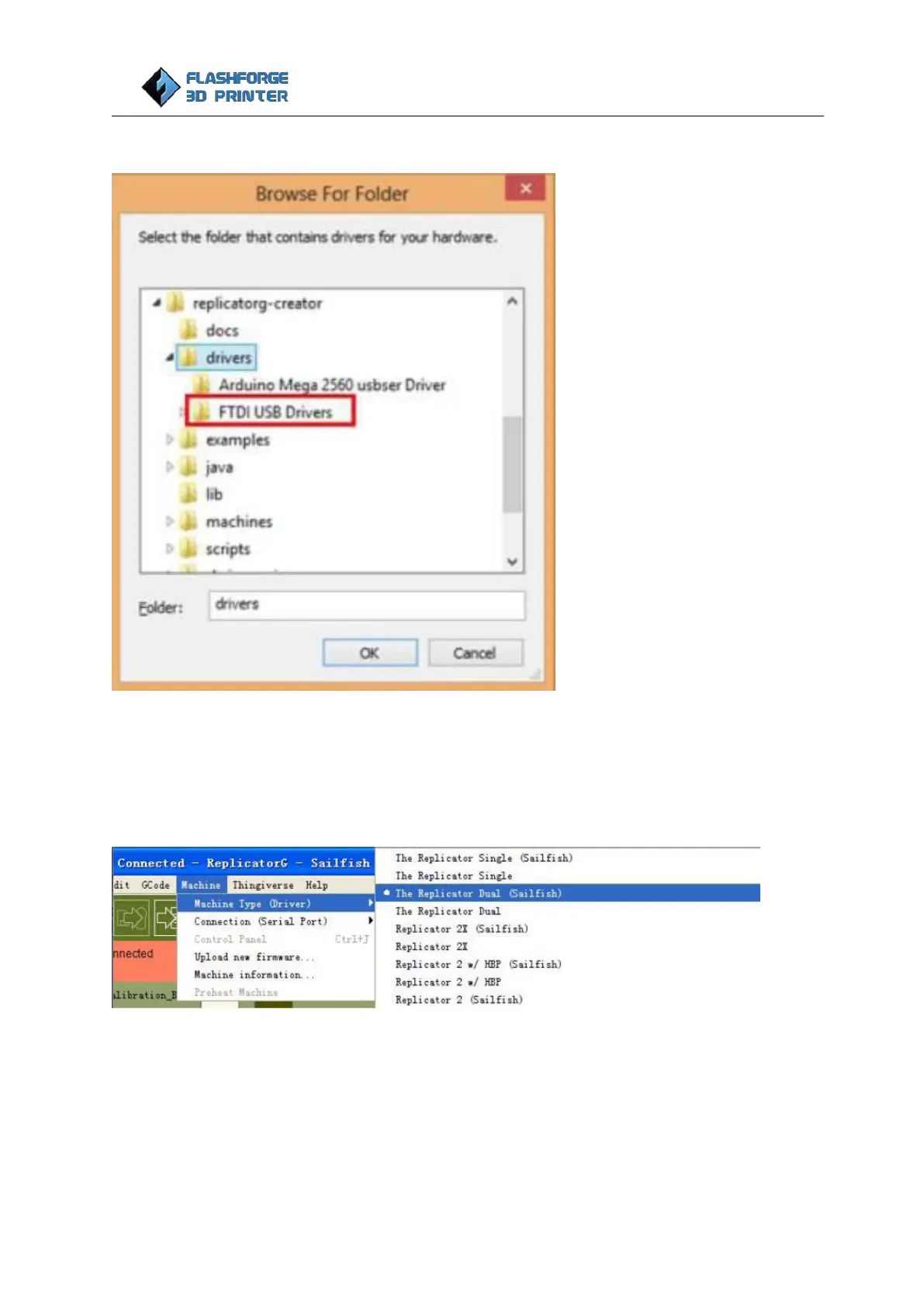
Click ‘Browse’… to find the location of ReplicatorG0040r24-Sailfish on your system.
Click ‘FTDI USB Drivers’ in the driver folder before confirmation and click ‘OK’. The drivers will then be
installed.
The next step is to connect the printer.
First, select the correct machine type “The Replicator Dual (Sailfish)” for Creator Pro:
Second, rescan the serial ports and select the one that appears on your machine (on our test machine the
port was COM7, but different computers vary).















 To Next Page