FLASHFORGE 3D PRINTER
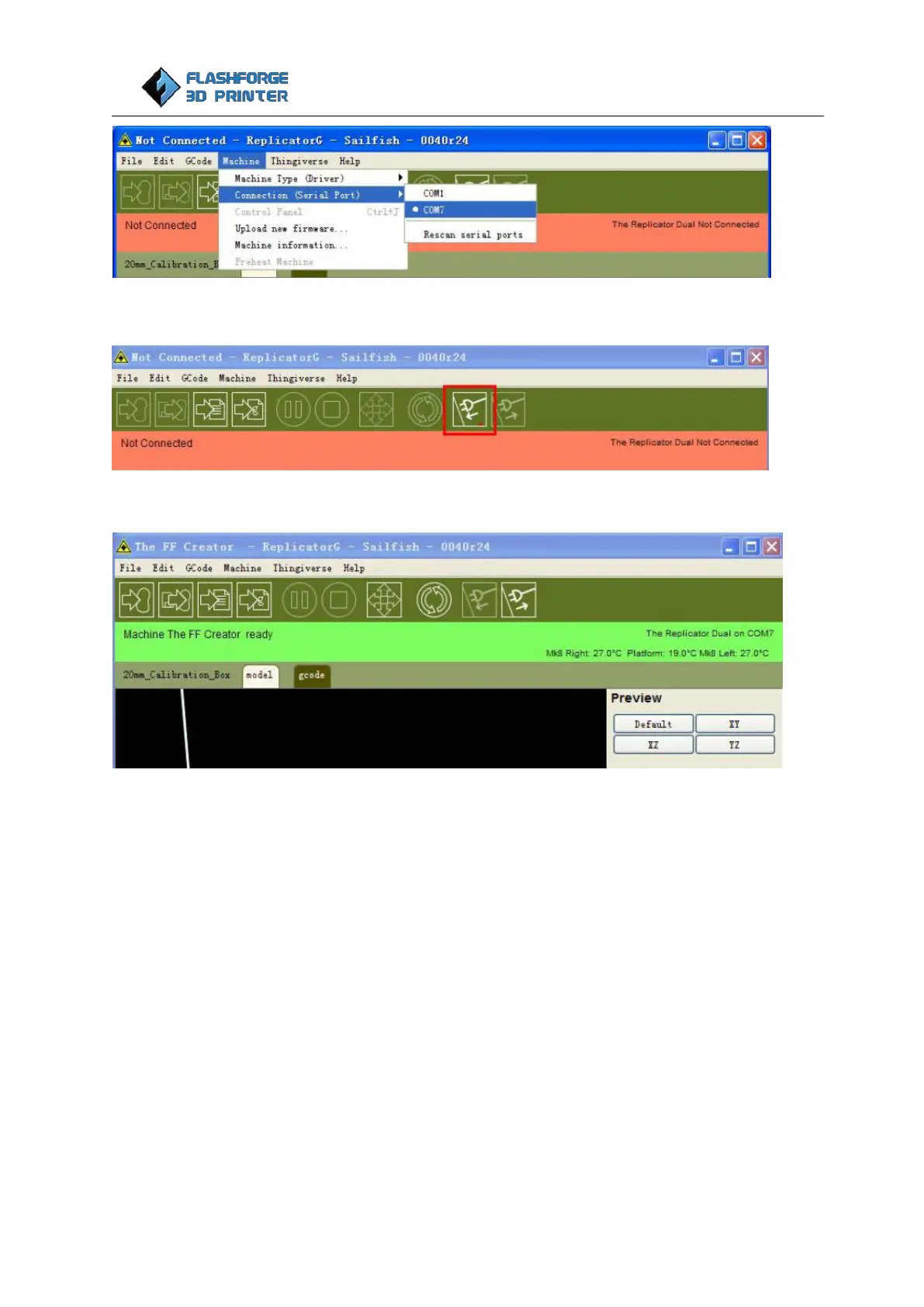
Now we can connect the machine, select the function key in the red box below:
If the red area turns green it means the printer is connected with the computer.
Loading and unloading filament
To make the process of feeding or withdrawing the filament easy, please follow the next few steps carefully:
Setting the filament up
First, remove the filament guide tube from the extruder head.















 To Next Page