FLASHFORGE 3D PRINTER
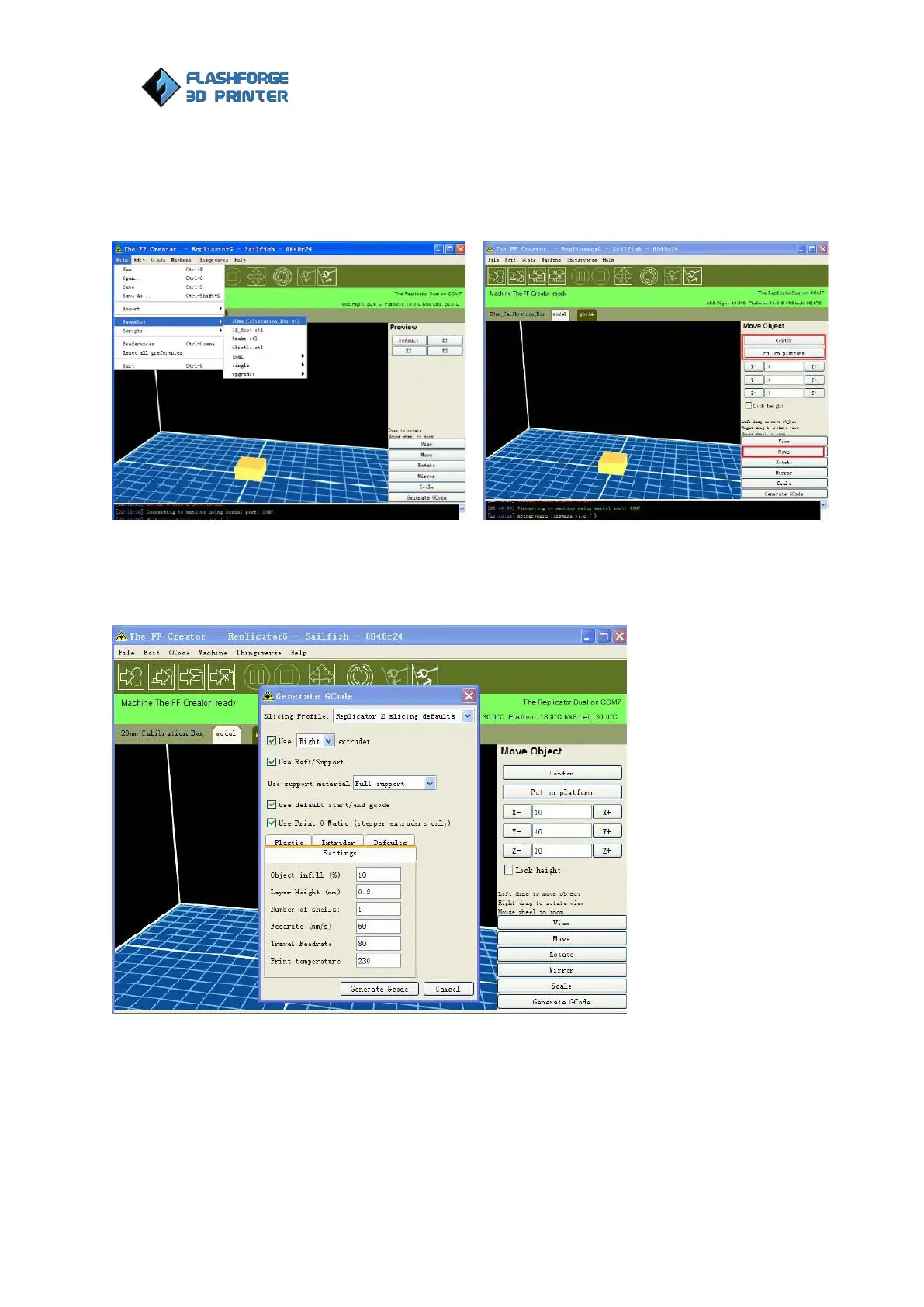
Click File > Examples and then select the 20mm_Calibration_Box.stl. The preview interface will then
appear along with a virtual impression of the 20mm cube on the virtual printer bed. On the preview
interface click Move > Center and Put on platform so that the sample will be printed on the centre of the
build plate.
Next click Generate GCode, a dialogue box will pop up, after inputting your chosen parameters the Gcode
will be generated. You can find recommended Gcode settings at previous section of ‘Recommended Gcode
settings for ABS and PLA’
Next click Generate GCode on the popped up window, an Acceleration Warning will pop up. Please click ok
to continue.















 To Next Page