FLASHFORGE 3D PRINTER
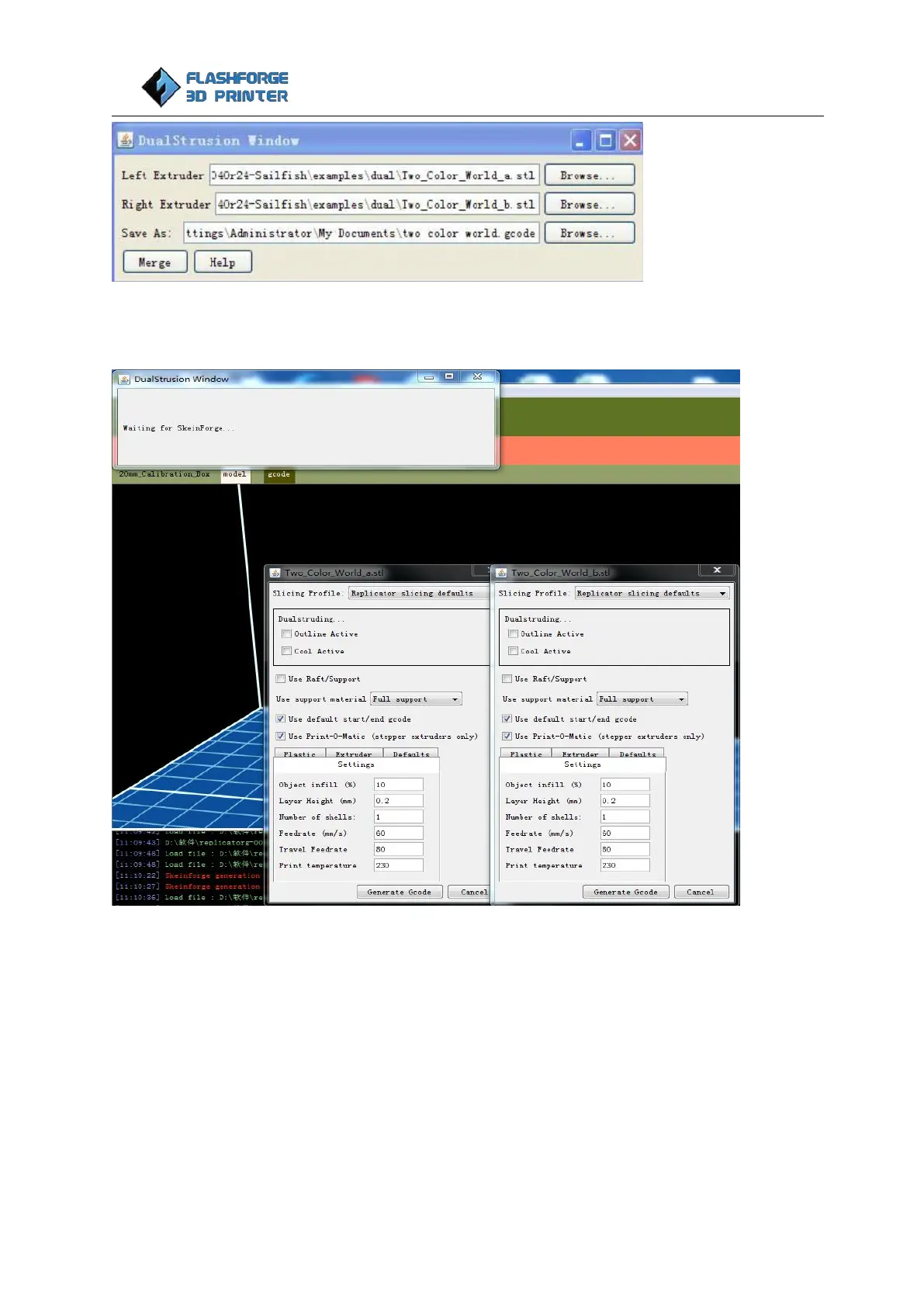
Now click Merge, two dialogue boxes will then pop up.
In both boxes you need to remove the tick in front of the 'use raft/support' option and then click generate
the Gcode for both boxes.
After the Gcode is generated, click the Gcode in the red box and modify the temperature of the bottom
plate according to recommended settings.















 To Next Page