EasyManua.ls Logo

Flashforge Creator Pro - Page 32

Flashforge Creator Pro
54 pages
Print Icon
To Next Page IconTo Next Page
To Previous Page IconTo Previous Page
Loading...
32
5.1.13 Tool
5.1.13.1 Update Firmware
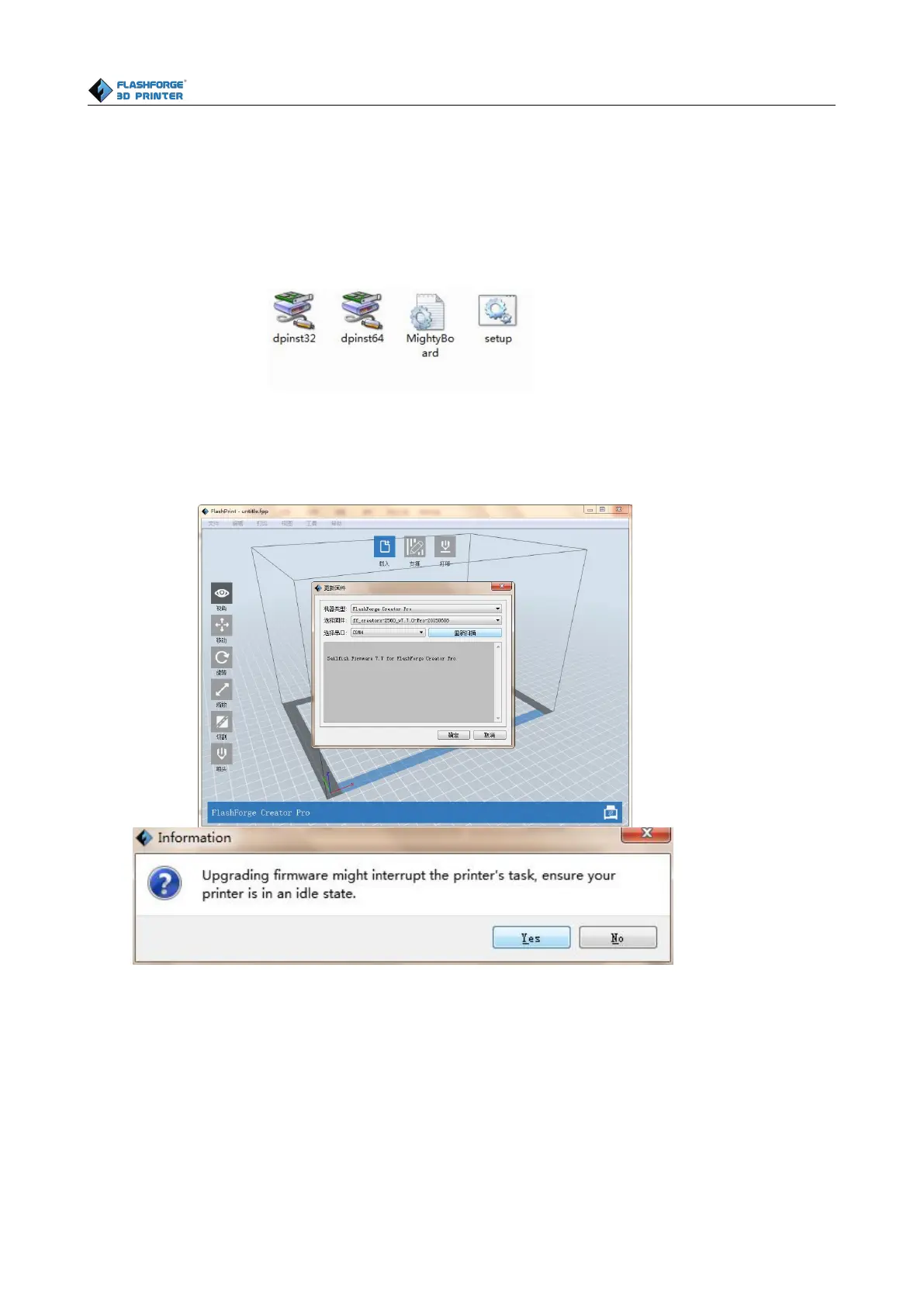
Before updating firmware, you need to find and depress driver-creator-pro” in the SD card.
Click and install the relevant installation program.
Launch the Flashprint(Now you computer and Creator pro are connecting with each other), click [Tools] and
[Update Firmware], then click [OK] and a dialog box will pop up. Click [Yes] to start firmware update.
5.1.14 Help Menus
Help ContentsClick [Help]--[Help Contents], you can read the help contents.
Check for Updates
Click [Help]--[Check for Update] to detect the available updates online.
About FlashPrintClick [Help]--[About Flashprint], the software information box will pop
up. The contents include the current software version and copyright information.

Other manuals for Flashforge Creator Pro

Related product manuals