————————————————————————————————————————————
control the moving speed of the extruder when printing the supports.
c. Travel Speed is to control the moving speed of the extruder under non-printing Status during
work. for PLA printing, 100 is recommended.
Note: Modify parameters settings to get better prints as different models need different
parameters.
Temperature
Extruder Temperature: Recommended extruder temperature is 220℃.
Note: Different temperatures have subtle influences in prints. Please adjust the temperature
according to the condition in order to get a good print.
Printing
Testing with USB Stick Sample
Make sure filament has been loaded properly and the platform is well leveled before you test the
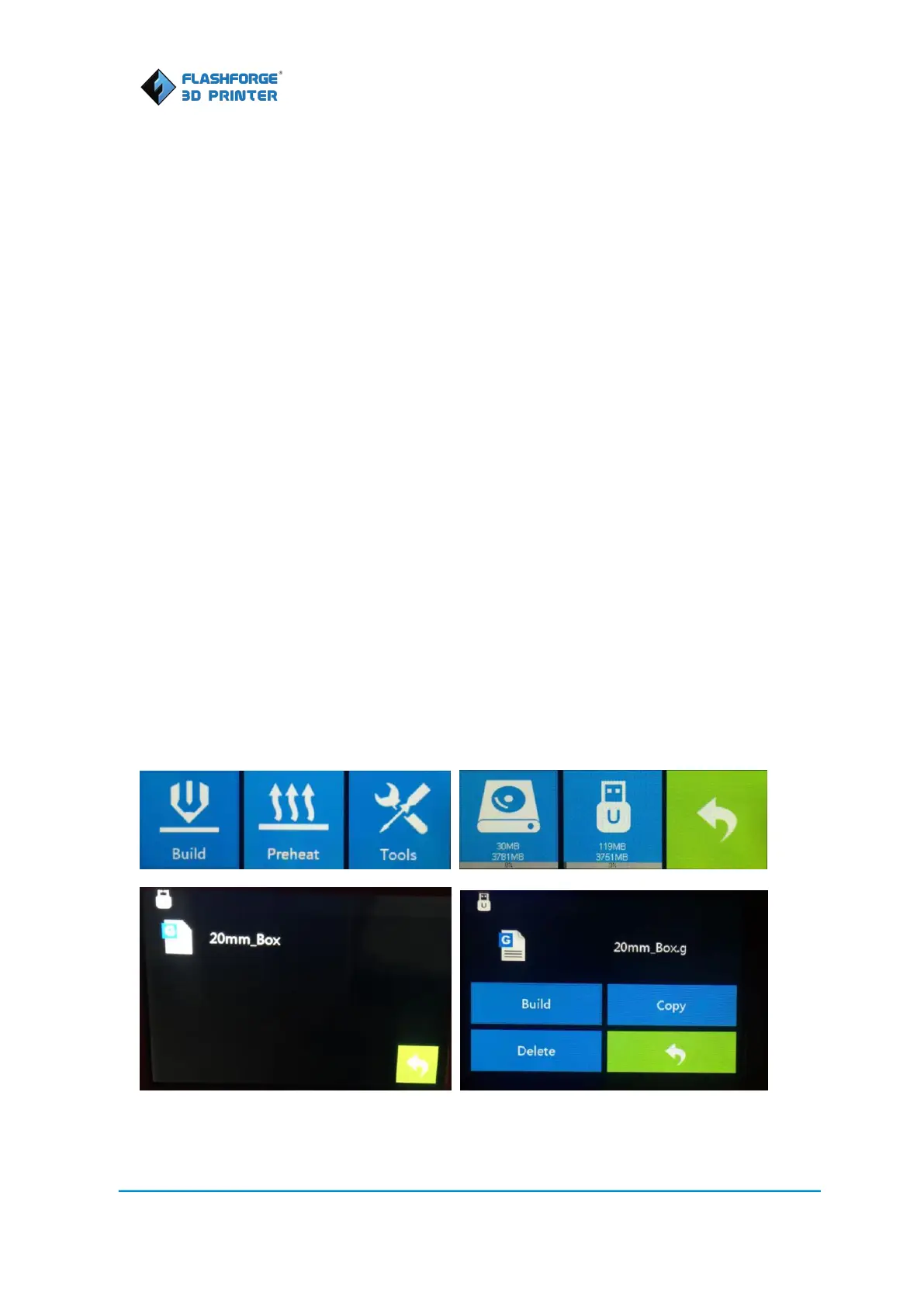
sample. Insert the USB stick into the printer, plug in the power cord, turn on the printer, select
menu “Build--USB (the middle icon)—20mm_Box”. Click “Build” button on the popped up new
interface.
Extruder starts to heat up, while platform and extruder are moving to their start position. After
extruder reaches 220C, it starts to print.















 To Next Page