————————————————————————————————————————————
WIFI Connection between FlashPrint and Finder
After completing Wifi Configuration:
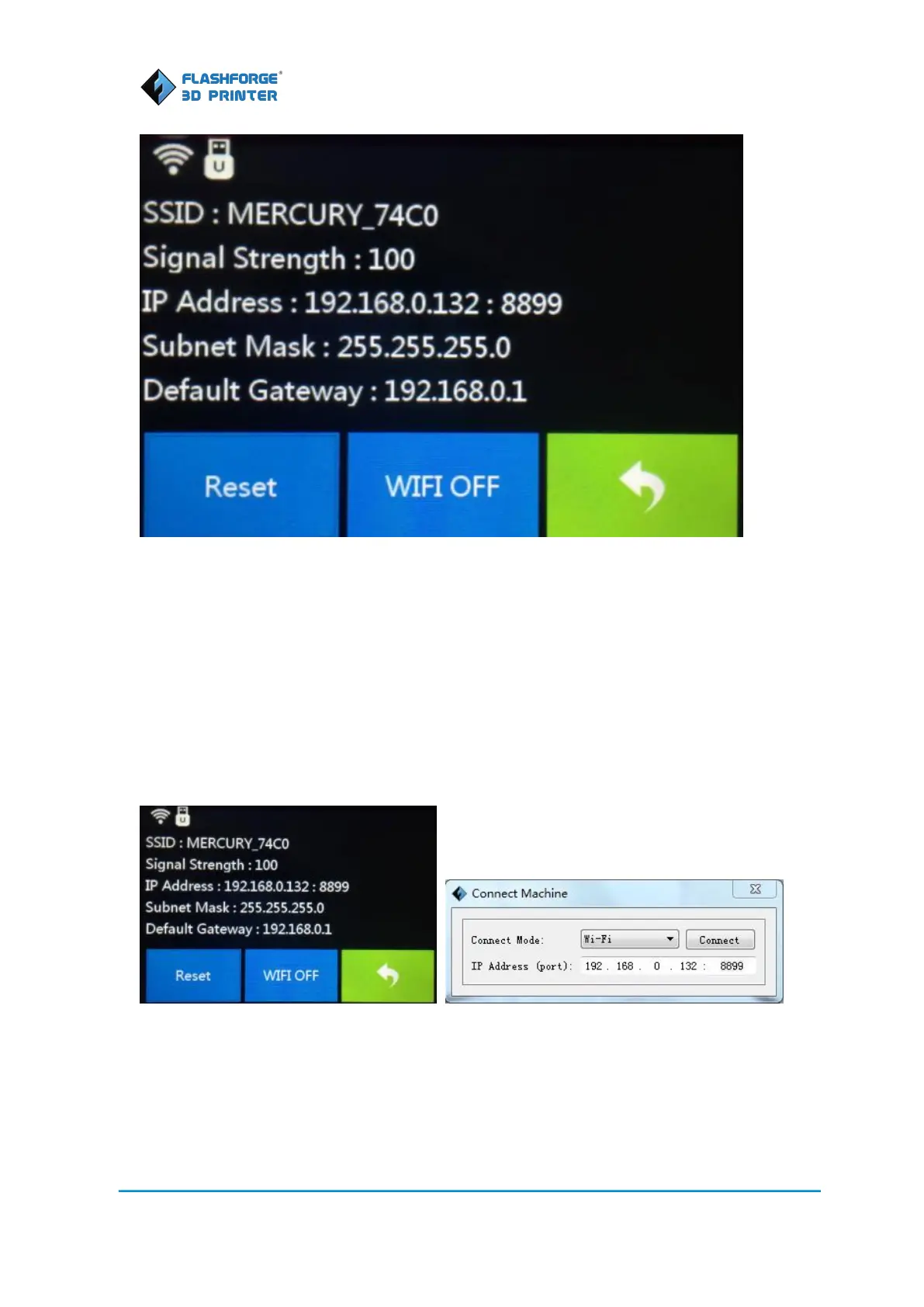
1. On the Finder select [Tools]--[Setting]--[WIFI]--[WIFI ON]
2. In FlashPrint, select [Print]--[Connect Machine] from the menu
3. Select WIFI as the connection mode
4. In FlashPrint, type the IP address shown on the printer touch screen with port number: 8899
5. Click Connect in FlashPrint to complete the connection
Firmware Update
You must be connected to the printer via USB to update the firmware. Please follow “USB
Connection” instructions before continuing.















 To Next Page