————————————————————————————————————————————
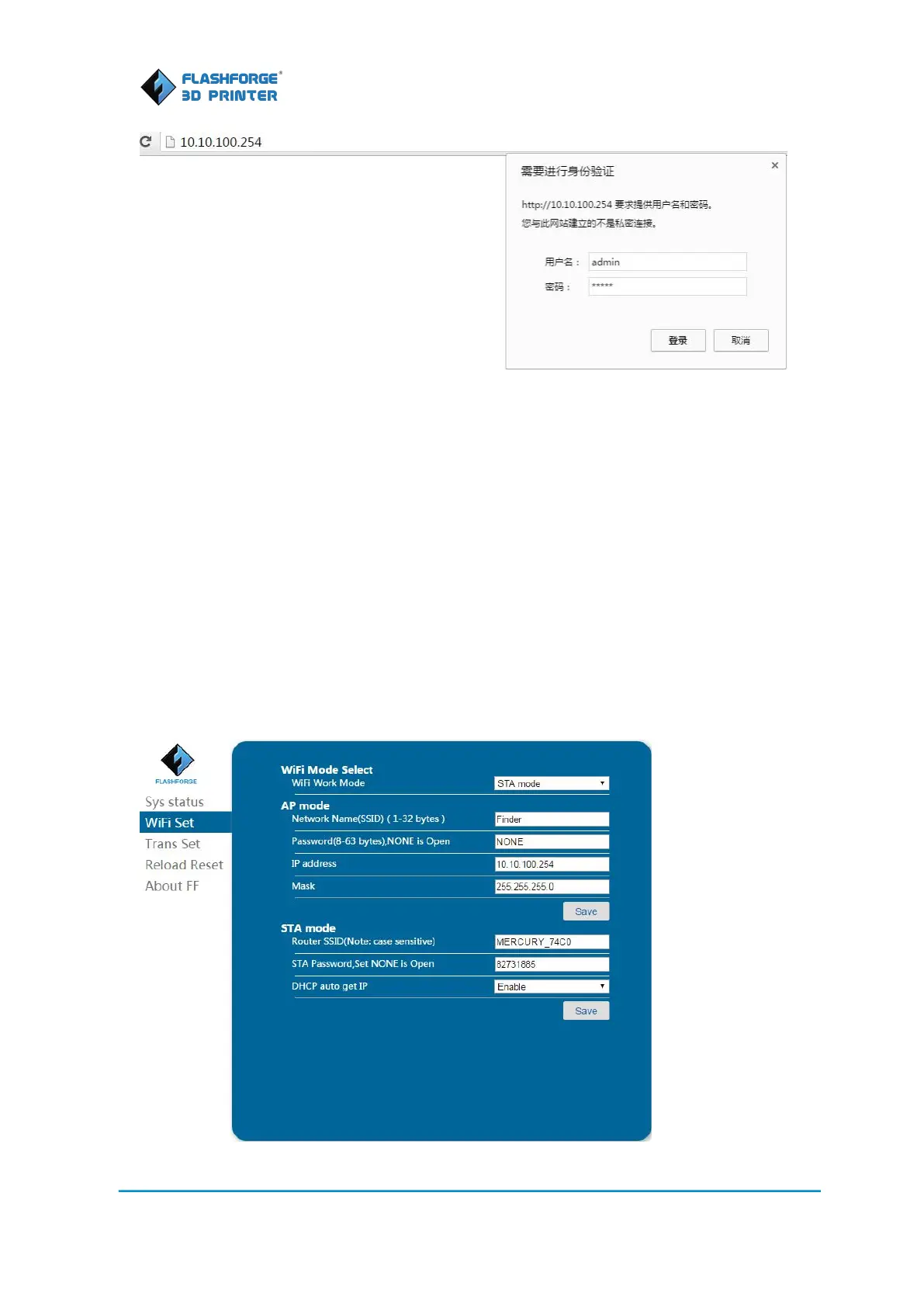
4. Click [WIFI Set], user can select AP or STA mode. When WIFI configuration is set up under STA
mode, your PC can connect to Internet and Finder at the same time. But if it is set up under AP
mode, your PC can not access to Internet when it is connected to Finder via WIFI. So we suggest
users setting your wi-fi configuration under STA mode.
STA Mode
Under STA mode, your PC and Finder shall share the signal from the same router. Under STA
Mode, you need to set up the SSID (display name of your own wireless network), Password
(Password of your own wireless network). Click [Save] and [Reboot] successively. Then you need
to reboot your Finder and turn on the WIFI again.
5. If Wifi is turn on successfully after reboot Finder, the touch screen on Wifi setting will be
displayed like this.















 To Next Page