Chapter 3 Machine settings
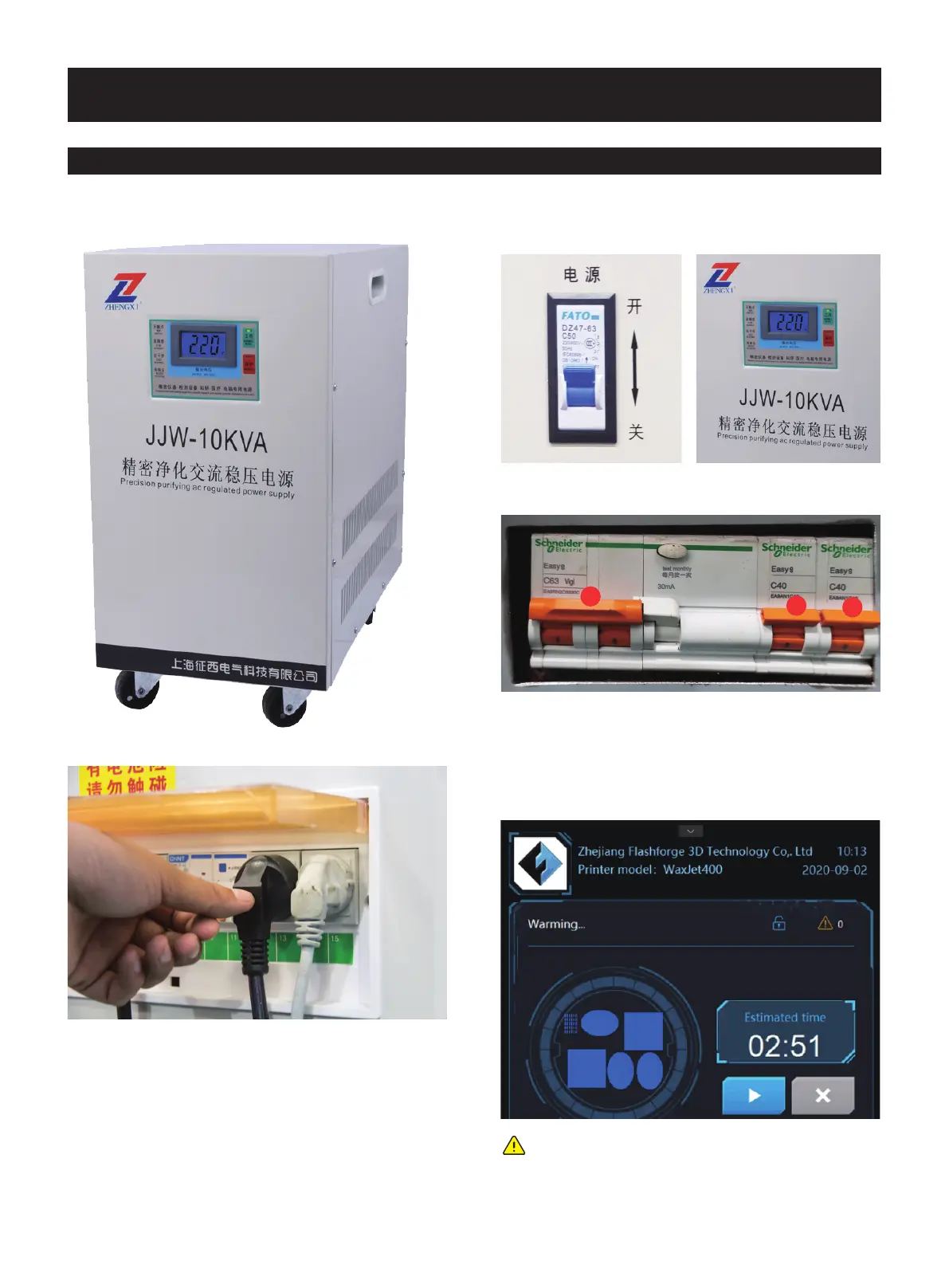
1. Use pouring ac regulated power supply.
2. Plug in the 25A socket.
Printer start-up steps
3.1 Start the machine
4. Turn on the device power switch in the order in which the
pictures show.
6. If the printer restarts at low temperatures, 4 hours are needed
warm-up, Printer Status in the user interface will show Warm-up.
3. Open the pouring ac regulated power supply and wait for
the voltmeter to show 220V.
Note: the printing file of the model can be uploaded
during warm-up, but printing can only be started after
the printer is completely warmed up and fully
prepared.
2
1
3
5.When the printer is powered on, it takes about one minute
for the UI to display. When the Flashforge icon appears in one
minute, the screen lights up showing the status of the printer.
01 02 03 04 05 06 07 08
09 10 11
12 13 14 15 16 17
18 19 20 21 22 23 24 25 26
27 28 29 30 31 32 33 34 35
36 37 38 39 40 41 42 43
44 45 46 47 48 49 50 51
52 53 54
55 56 57 58 59 60 61
62 63 64 65 66 67 68 69
70 71 72 73 74 75 76 77
78 79 80 81 82 83 84 85
86 87 88 89 90 91 92 93
94 95 96 97 98 99 100 101
102 103















 To Next Page