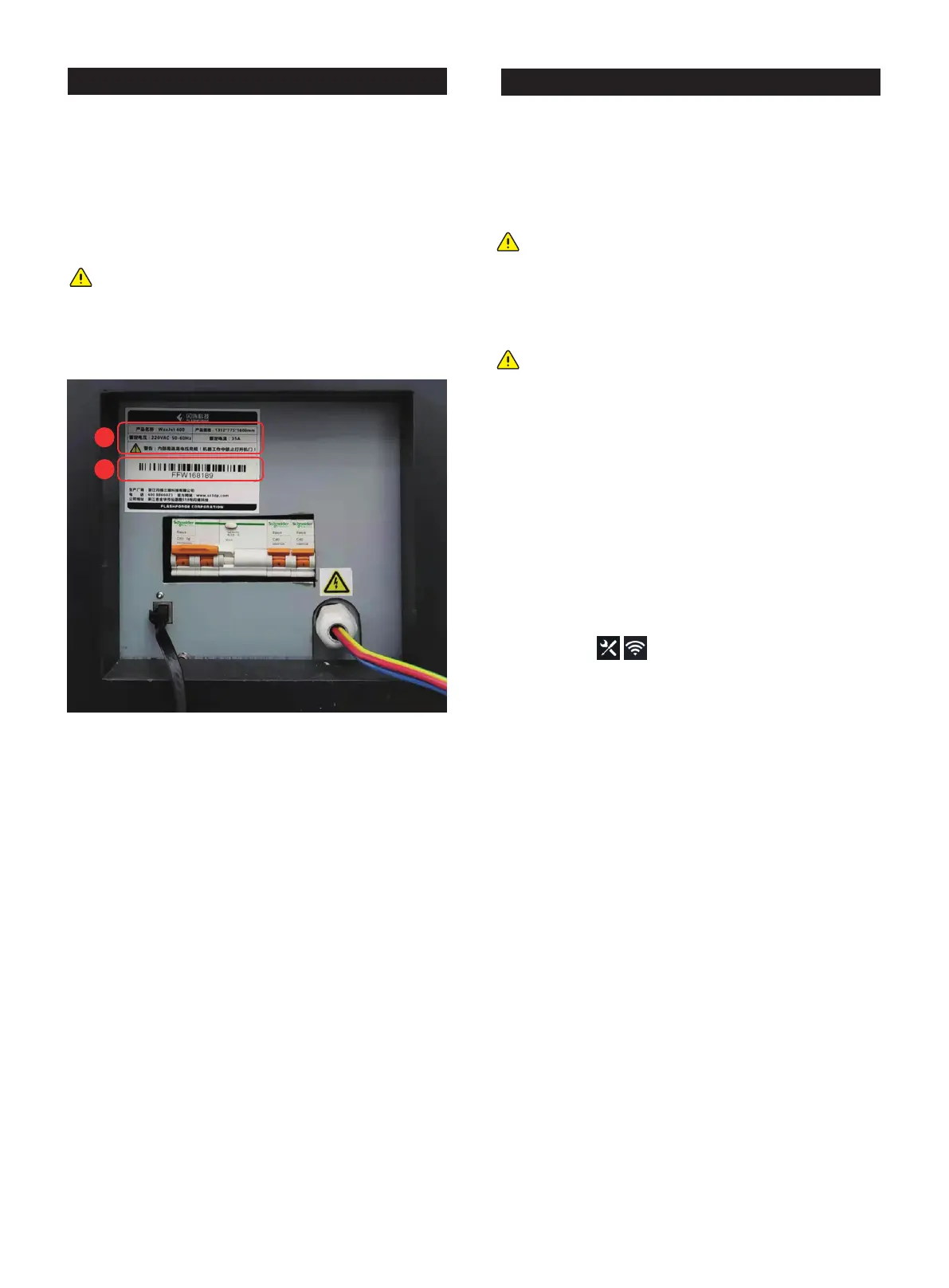
3.6 Identification of machine
Identify your printer with the following tags:
A
requesting service.
B
FlashForge customer service contact information.
A
B
Note: Both markings are located near the bottom on
the back of the printer and are generally placed near
the printer's power connection. Please offer the
information on these tags when supporting customer
support to confirm your printer.
WaxJet ® 400/410 series printers via the device's Ethernet
network. The RJ45 network connector is located near the
power connection on the back of the printer.
Configure the network
This section is intended to provide instructions when you need
to change your network settings. Within the network page,
Static IP address - You must enter an IP address, a subnet
mask, and a gateway address for the printer. The network
1. Turn on the power of the printer.
setting page.
3.7 Internet connection
Note: A 2-meter network connection cable is provided
in the accessory package. If the cable provided is not
long enough to connect from the printer to the
factory's network connection point, purchase the
appropriate cable by yourself.
Note: When you find that the printer and computer are
not connected properly, first check that the printer is
properly connected to the factory's network connec-
tion point, and then check that the printer and
computer are in the same local area network.
01 02 03 04 05 06 07 08
09 10 11 12 13 14 15
16 17
18 19 20 21 22 23 24 25 26
27 28 29 30 31 32 33 34 35
36 37 38 39 40 41 42 43
44 45 46 47 48 49 50 51
52 53 54
55 56 57 58 59 60 61
62 63 64 65 66 67 68 69
70 71 72 73 74 75 76 77
78 79 80 81 82 83 84 85
86 87 88 89 90 91 92 93
94 95 96 97 98 99 100 101
102 103















 To Next Page