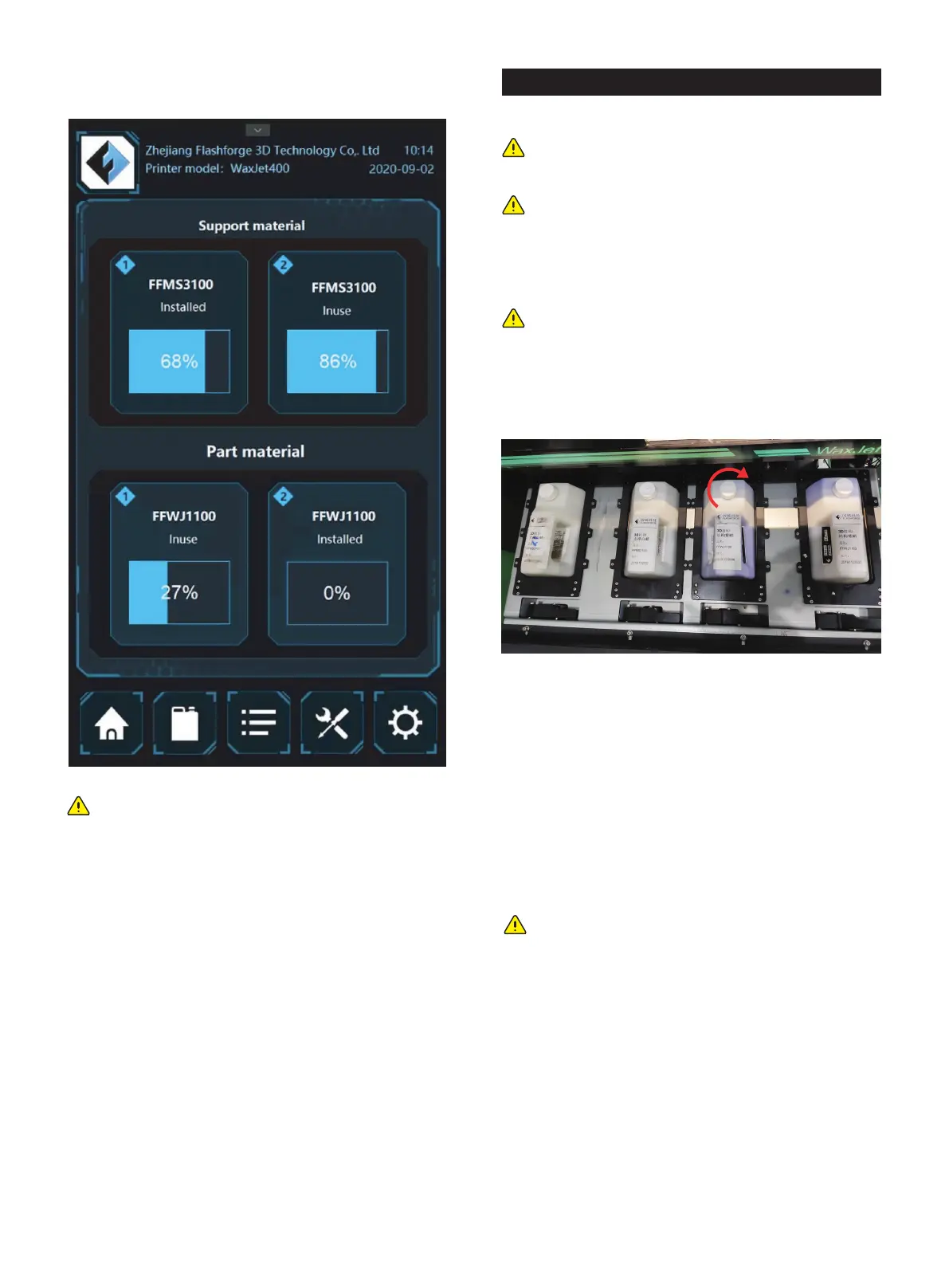
8. Check the amount of materials in the interface and ensure
the material bottles are ready in the materials chamber
Note: If there is a note in the interface that the
material bottle is empty but it is the wrong note,
please contact the a certified reseller partner or
FlashForge Customer Support. It is recommended that
contact a certified reseller partner first.
3.4 Removal of materials
If the material bottle is empty, or to change the new material
bottle, please follow the next steps.
1. Push the door inward to open.
2. Pull the drawer out.
3. Turn the cap clockwise 1/2 to tighten.
4. Pull up and release the wrench while carrying the material
bottle handle to pull the material bottle out of the material
slot.
5. Dispose of empty boxes in accordance with local laws and
regulations.
6. Wear rubber gloves, protective arms device or laboratory
clothing to protect your arms, use disposable paper towels to
isopropyl alcohol.
Note: Check the material type is important before
material removal
Note: It is necessary for preheating before open the
material chamber and material installation
Note: The MDM drawer is a push/push mechanism.
Push to open door , and then push to lock door.
Note: It is important to wear rubber gloves, protective
arms device or laboratory clothing to protect the arm
from skin before contact with the material. Skin
exposure to materials may cause allergic reactions.
01 02 03 04 05 06 07 08
09 10 11 12 13
14 15 16 17
18 19 20 21 22 23 24 25 26
27 28 29 30 31 32 33 34 35
36 37 38 39 40 41 42 43
44 45 46 47 48 49 50 51
52 53 54
55 56 57 58 59 60 61
62 63 64 65 66 67 68 69
70 71 72 73 74 75 76 77
78 79 80 81 82 83 84 85
86 87 88 89 90 91 92 93
94 95 96 97 98 99 100 101
102 103















 To Next Page