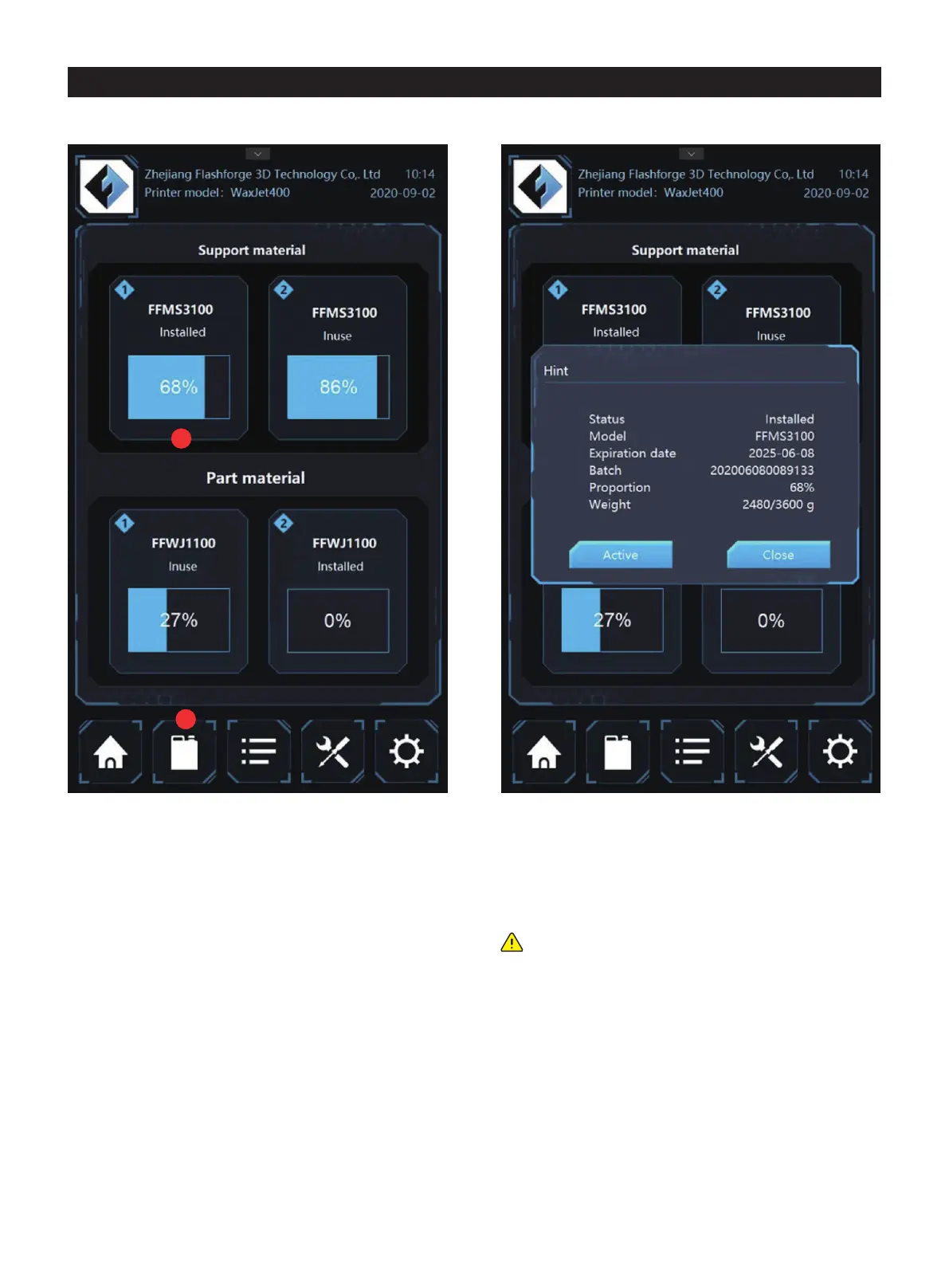
4.2 Material info interface
1. Tap icon in the interface to enter the material information
interface.
status in the interface to see the relevant information of the
Material:material type;
Status:Current information about the material;
In use:the used material bottle currently;
Installed:
use;
Not usable:material bottle using trouble, please contact
after-sales service for assistance;
Missing:Uninstalled material bottle;
Empty:The material bottle is empty;
Expired:The material bottle has expired and needs to be
replaced;
Warming up:The material bottle is warming up to the ready
state.
Color/type: description of the material, such as color and
characteristics;
Expiration date: the expiration date of the material.
Batch: material batch and date;
Proportion: percentage of remaining material in the material
bottle;
Weight: the weight of the material in the material bottle ;
Start: select and set up the material bottle for printing.
2
1
Note: the printer does not support the expired material
when the expired material bottle insert the machine. If
the materials is expired in the printing process, the
printer will continuous to work. Then the expired
material cannot use again.
01 02 03 04 05 06 07 08
09 10 11 12 13 14 15 16 17
18 19
20 21 22 23 24 25 26
27 28 29 30 31 32 33 34 35
36 37 38 39 40 41 42 43
44 45 46 47 48 49 50 51
52 53 54
55 56 57 58 59 60 61
62 63 64 65 66 67 68 69
70 71 72 73 74 75 76 77
78 79 80 81 82 83 84 85
86 87 88 89 90 91 92 93
94 95 96 97 98 99 100 101
102 103















 To Next Page