6
USING THE FLASH TRIGGER (NON-TTL)
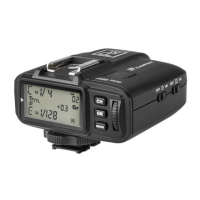
The ash trigger features the following functions:
1. As a Wireless Flash Trigger
1.1 Mount the transmitter on camera hotshoe and turn it on before turning
on the camera.
1.2 Set the transmitter and the receiver to the same channel by pressing the
Channel Setting Button.
1.3 Press the camera shutter button, and the ash will be triggered
simultaneously. The Status Indicator Lamp of both transmitter and
receiver units turn red.
2. As a Wireless Flash Trigger with PC Sync Socket
2.1 Set the transmitter end and receiver device to the same channel and group.
2.2 The transmitter will control the ash on the receiver end, using the PC Sync
Socket as input by default, bypassing the hotshoe.
2.3 Press the camera shutter. The PC Sync Socket’s signal to control the ash.
2.4 PC Sync Socket can also be set as output. Long press the <CH/OK> Button
of the transmitter until <Fn> is displayed on the panel. Then, set the value
of C.Fn-03 to “OU” by pressing the “GR” button once and rotating the Select
Dial. The PC Sync Socket is in output mode and can trigger an attached
ash though a PC cord.


 To Next Page