10
3 Scanning and Reviewing
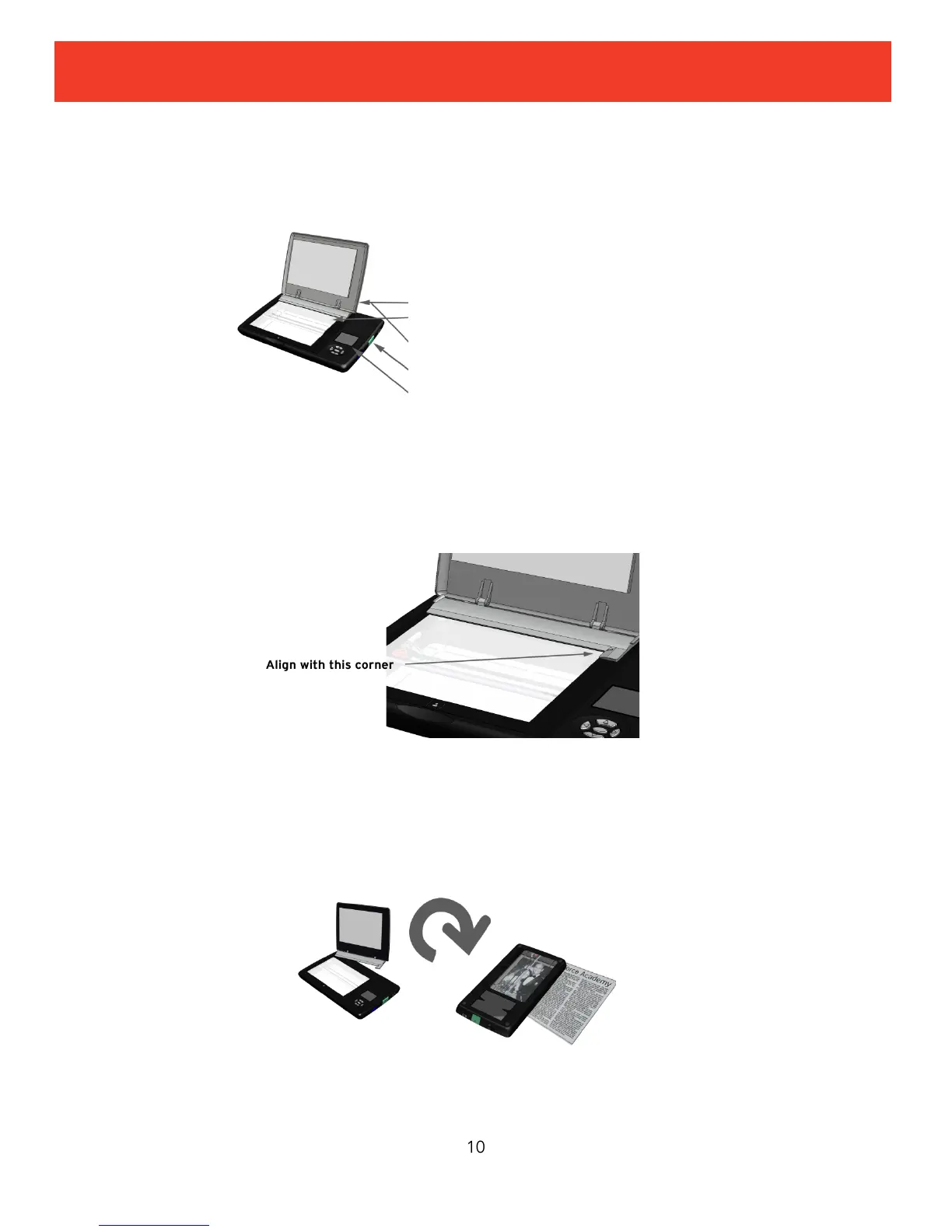
Standard Scanning
You can scan originals up to 4x6 inches.
The scan is stored on the SD memory card and the scanner will be in Review mode. Scanning is
complete when the entire image is displayed.
To help ensure that the scan is straight, align the original with the photo guide on the lid as
shown.
Flip and Scan
Flip scanning allows you to scan a photo in an album or frame, scan large originals for stitching
together later on your computer, or scan small objects such as coins. To flip and scan:
When the scan bar stops its forward motion, the scan is done and you can move the scanner.
1. Open the lid
2. Place original face down on scanner
bed; align with photo guide
3. Close the lid
4. Press green Scan button
5. Scan is done when image is shown
on display
2. Flip scanner over onto original
3. Align by looking through the
viewing window
4. Press green Scan button


 To Next Page