It is a good idea to have extra batteries on hand. Do not mix battery types, brands, or old and
new batteries. Check the expiration dates printed on the batteries.
Replacing Batteries
When the screen displays the message “batteries too low to scan”, it is time to replace them.
Turn off the scanner, press the release on the battery door and slide it in the direction of the
arrow. Remove the old batteries, insert four new AA batteries and replace the door. Battery
orientation is shown on the inside of the compartment.
The date/time, resolution, and power-saver timer settings are saved at power off. While the
batteries are removed, the scanner’s internal clock is paused. After the batteries are replaced
and the scanner is turned on, the scanner will display the date/time screen. You may update
the settings or move to Done and press OK.
Extending Battery Life
After 1, 2 or 10 minutes of inactivity, the scanner turns off, depending on the Power-Saver
Timer setting. To extend battery life, use one of the lower settings. The default setting is 2
minutes. (see Customized Settings – Chapter 2).
SD Memory Cards
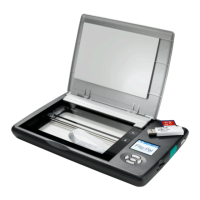
The Flip-Pal
®
mobile scanner comes with an SD memory card. This card:
• Stores your scans in the DCIM folder
• Contains Flip-Pal
®
Software 2
• Stores your customized Home Screen in MyScanner.JPEG
NOTE: The Flip-Pal
®
mobile scanner and the included SD Memory Card to USB adapter do not
support the Write Protect capability of SD memory cards.
The typical file size for a 300 DPI (1 star) scan is 1.2MB, while a 600 DPI (2 star) scan is 1.6MB.
This varies from one scan to the next. A 2GB SD memory card has about 1.5GB available for
storing scans, which is approximately 1200 scans at 300 DPI, or 900 scans at 600 DPI.


 To Next Page