6
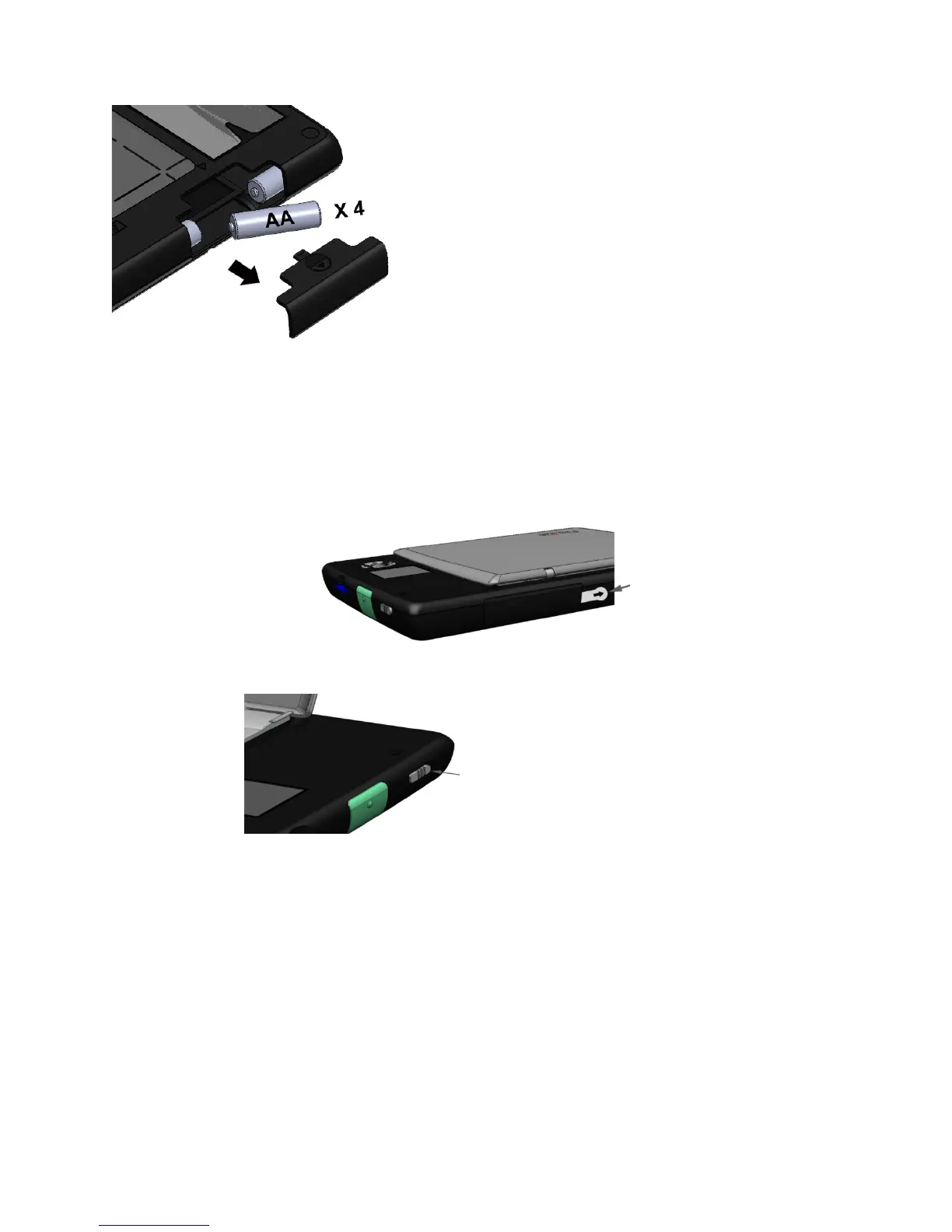
Install Batteries
Activate the Batteries (if already installed)
In many countries, the scanner is shipped ready to use with four AA batteries. To activate
them, remove the battery-protect tab by pulling the plastic tab protruding through the small
gap in the battery door, located on the bottom of the scanner. It is not necessary to open the
battery door to pull the tab out.
Power On and Off
When you are done using your scanner, move the power switch toward the back of the scanner
to power it down. The scanner will also power down automatically, based on the Power-Saver
Timer setting (default is 2 minutes). It will also power down after 5-10 seconds if the SD
memory card is removed.
Gently press and slide out
battery compartment cover.
Place four AA batteries into
compartment as shown.


 To Next Page