4
1 Introduction
Meet the Flip-Pal
®
mobile scanner
With the Flip-Pal
®
mobile scanner, no longer will your precious photos and other memories be
scattered or lost. Have fun, enhance your creativity and share your memories with family and
friends. Use it like a traditional scanner, or take advantage of the multi-use, patented flip-and-
scan technology.
Scan anywhere, anytime. Enjoy its versatility in scanning any size document and even small
objects. Appreciate how the scans look just like the original. Save time and keep your photos
safe by scanning them while still in an album or frame.
What’s In the Box?
Your Flip-Pal
®
mobile scanner comes with everything you need to scan photos, drawings and
other documents. Included with the scanner are:
• Flip-Pal
®
Model 100C Mobile Scanner
o Four AA batteries (installed in most countries)
o SD memory card (installed) which stores your scans and also contains Flip-Pal
®
Software 2. To remove it, push it in gently; it will spring out, allowing you to
slide it out.
• SD Memory Card to USB adaptor
• Quick Start Guide
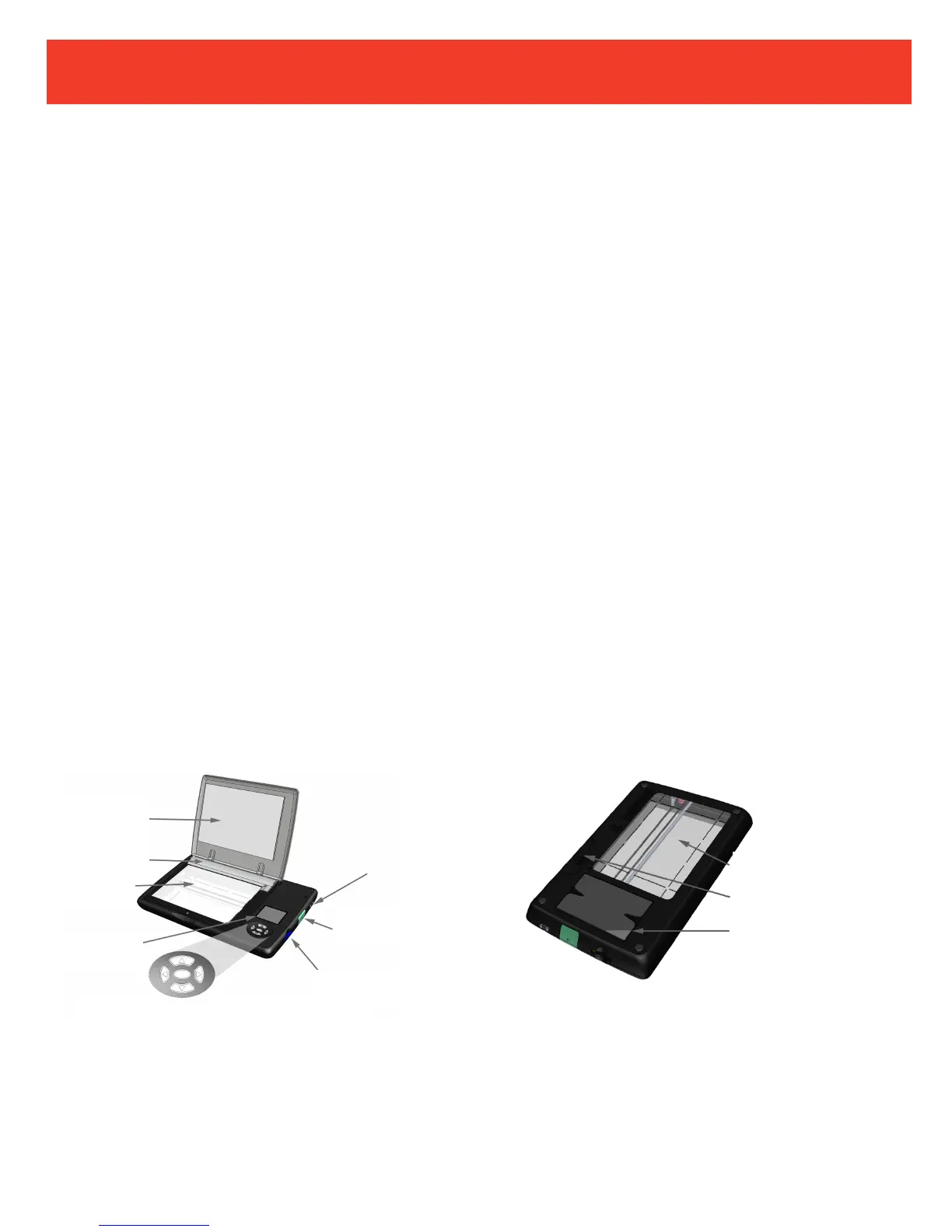
Scanner Overview
UP, DOWN, RIGHT, LEFT ARROW Buttons
OK Button (center)


 To Next Page