18
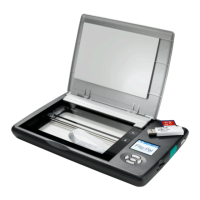
You can use any common SD or SDHC memory card to store your scans. We have tested SD
cards up to 32 GB in size. When you use a new SD card for the first time, the scanner will
create the directory structure it needs to store scans.
If you buy a new SD memory card or lose your Flip-Pal
®
SD memory card, please go to
www.flip-pal.com for information on how to download Flip-Pal
®
Software 2 onto a new card.
Other Uses for the SD Memory Card
You can use the SD memory card in other devices, such as a printer, CD burner, digital picture
frame or photo kiosk. Please visit www.flip-pal.com for more information.
Product Care
Exercise care when transporting your Flip-Pal
®
mobile scanner to prevent the top cover,
display, or bottom viewing window from getting scratched. You can purchase a carrying case
or window protectors for the bottom viewing window at www.flip-pal.com.
You may clean the exterior surfaces of the scanner using a mild cleaning solution applied to a
soft cloth. The glass scanner bed can be cleaned with mild soap or glass cleaner applied to a
soft cloth. Do not pour or spray the solution directly onto the glass.
You may want to remove the batteries if you will not be using the unit for a long period of time.
Note that the scanner’s internal clock will be paused during that time and you will need to
reset the time and date settings. Setting the time and date is important. It provides
information for your computer's software to organize the files so you are able to find them
later.
Operating System and Browser Support
Flip-Pal
®
Software 2 is supported on Windows XP(SP3), Vista, Windows 7 and Windows 8;
Apple Mac OS-X Snow Leopard (10.6), Lion (10.7), Mtn. Lion (10.8).
The original Flip-Pal
®
software is supported on Mac OSX Tiger (10.4) and later. To download
this software for your Apple Mac OSX Tiger (10.4) , Leopard (10.5) or if you prefer it for your
other computers, go to flip-pal.com Support page, Downloads tab for more information.
www.flip-pal.com supports the following browsers:
• Microsoft Internet Explorer version 7 and higher (Windows)
• Apple Safari version 4 and higher (Windows, Macintosh)
• Mozilla Firefox version 3 and higher (Windows, Macintosh)
• Google Chrome version 2 and higher (Windows, Macintosh)
Accessories and Replacement Parts
You can purchase additional accessories at www.flip-pal.com. Available accessories include
carrying cases, window protector sheets, rechargeable batteries with charger and software.


 To Next Page