427-0089-00-12 Version 160 March 2019 62
This document does not contain any export-controlled information.
Advanced Configuration
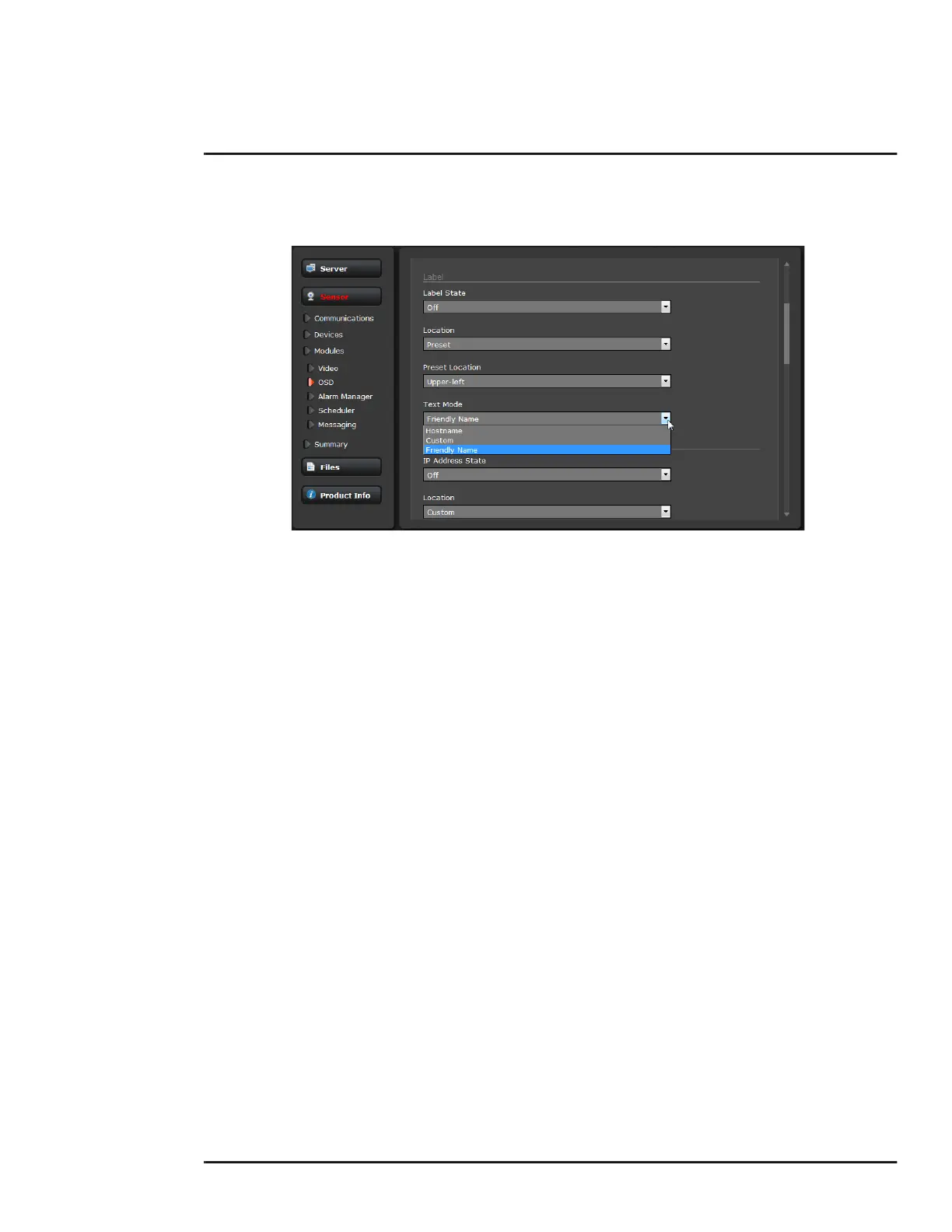
time) as an overlay on the video image. The OSD configuration page allows selected camera-related
information to be displayed in the analog video and in the IP video streams.
For example, the Label can display the Friendly Name (configured on the Product Info page), the
Hostname (configured on the LAN Settings page) or a Custom text string (using the Text parameter
after selecting Custom).
Each text string can be controlled with the following parameters:
• State (on or off)
• Location (preset location or a Custom X and Y Location)
The OSD text will appear on the IP video streams as well as the analog video output.
Alarm Manager: Use the Alarm Manager page to set the response (action) that results from an
individual alarm. It is possible to have more than one action for a single alarm by adding additional
rules (for example, one action could capture an image and another could generate an output). If a


 To Next Page
 Loading...