427-0089-00-12 Version 160 March 2019 32
This document does not contain any export-controlled information.
Basic Operation and Configuration
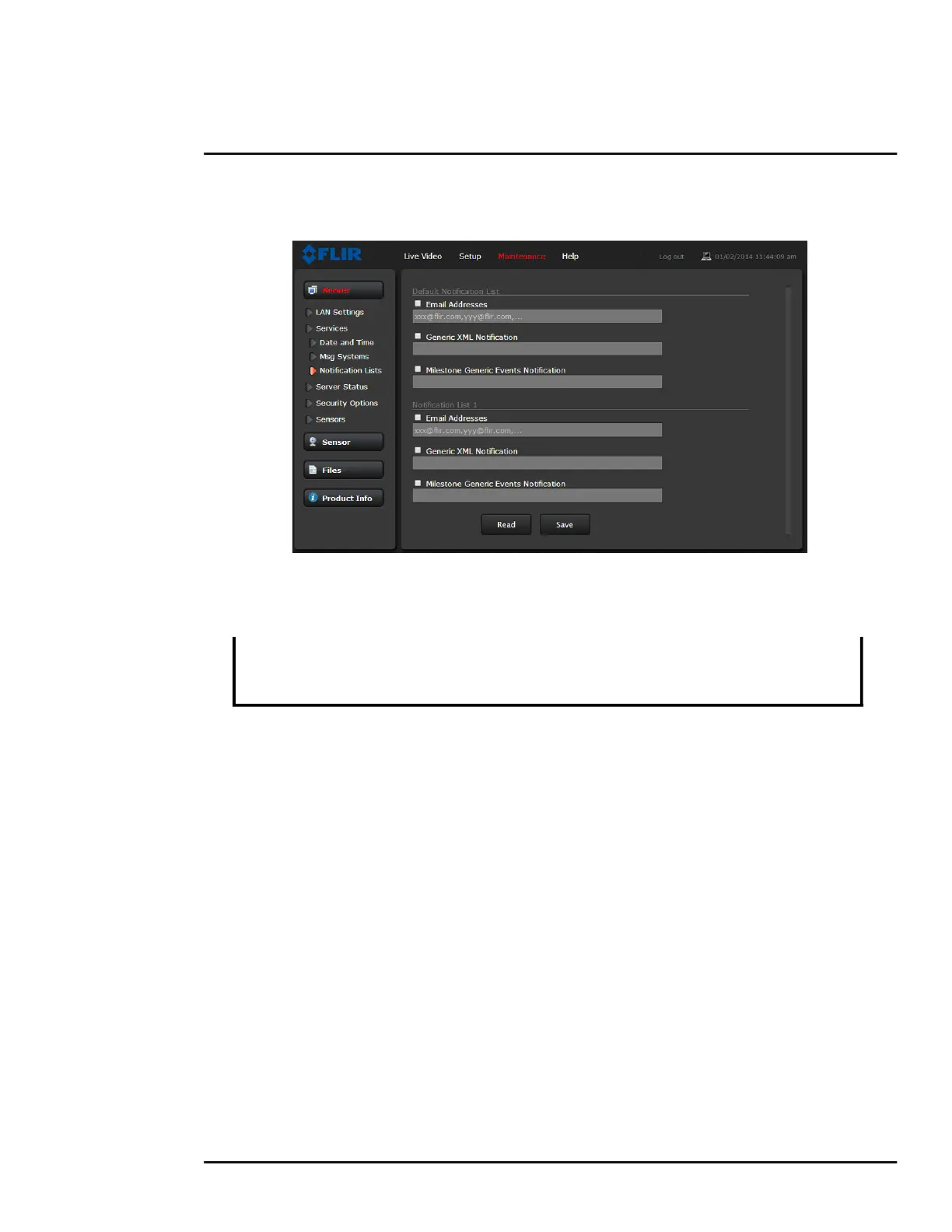
Notification Lists: Use this page to setup multiple email addresses and other notifications that can
be sent as a result of alarms being processed by the Alarm Manager.
TLS Config: The settings on this page enable secure, encrypted communication between clients
and the camera; for example, when your web browser accesses the camera’s web interface.
Note
By default, TLS is disabled. Before enabling it, you need to generate or upload a valid certificate.
You can:
• Use the camera web interface to generate a self-signed certificate.
• Upload a self-signed certificate and a private key.
• Upload a certificate signed by a third-party, a public key, and a private key.
Certificates and keys must be in PEM format. Common file extensions for TLS files in PEM format
are:
For certificate and public key files: *.crt, *.cer, *.cert, *.pem
For private key files: *.key
From the TLS Config page, you can also download certificates and keys previously uploaded to or
generated by the camera. If the certificate saved on the camera is self-signed, you can download the
The camera also supports TLS authentication over the camera’s LAN. For information
about configuring TLS authentication for LAN communication, see IEEE 802.1X Security,
pg. 29.



 To Next Page