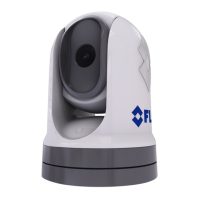
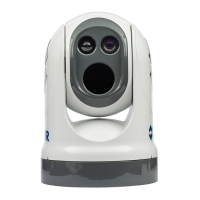
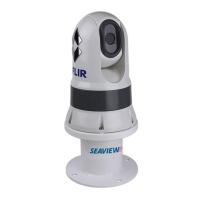
6.1Webbrowseruserinterfaceoverview
ThischapterdescribeshowtouseaWebbrowsertocommunicatewithandcongure
yourM300Seriescamera.
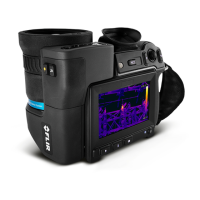
M300SeriescamerasarenetworkdevicesthatcommunicateoveranEthernetnetwork
usingInternetProtocol(IP).UsingaWebbrowser,youcanviewvideo,controlthecamera,
andchangecameracongurationsettings.
Note:Changestocongurationsettingsshouldonlybemadebysomeonewhohas
expertisewithM300Seriescamerasandathoroughunderstandingofhowthesettings
affecttheimage.Haphazardchangescanleadtoimageproblemsincludingacomplete
lossofvideo.
Y oucanusevarioustypesofIP-networkeddevicetointeractwiththecamera’sWebinterface
(suchasalaptop,PC,tablet,orsmartphone).Thedevicemustbeconnectedtothesame
networkasthecamera(orconnecteddirectly),andrunningasupportedWebbrowser
(MicrosoftInternetExplorerversion9orlater,orthelatestversionoftheGoogleChrome,
MicrosoftEdge,orMozillaFirefoxbrowsers).
Note:
•T ocommunicatewithandcongureyourM300SeriescamerausingaJCU-2control
unit,refertop.81—JCU-2operation
•T ocommunicatewithandcongureyourM300camerausingaRaymarineLightHouse3
multifunctiondisplay(MFD),refertop.87—MFDoperation
6.2Settingupanetworkconnectiontothecamera
Y ourcamerasupportsDHCPandUPnPtosimplifytheprocessofndingthecameraona
network,andconnectingtoitusingawebbrowser.
Note:Thewebbrowsermustberunningonadevicethatisonthesamenetworkas
thecamera.
DHCP(DynamicHostControlProtocol)isusedtoautomaticallyassignIPaddressesand
otherimportantIP-networkparameterstodevicesonanetwork.Thecameraissetto
useDHCPbydefault.
UPnP(UniversalPlugandPlay)isaprotocolthathelpsthecameraidentifyitselftoother
networkdevices.
Note:Youshouldnotattempttosetthecamera’sIP-networkparametersmanuallyunless
youhavepreviousexperiencewithconguringIPnetworks.
T osetupanetworkconnectionbetweenyourIPdevice(suchasalaptoporPC),and
thecamera:
1.
•Ifyoursystemalreadyincludesanetworkswitch(eithera3rd-partyswitch,ora
RaymarineHS5switch,forexample),connectboththecameraandtheIPdevicethat
willrunyourwebbrowser,totheswitch(seep.52—Non-RayNetsystemsforexample
networkconnections).Thenpower-onthecamera,networkswitch,andIPdevice.
•Ifyoudon’thaveanyexistingnetworkinghardware(suchasanetworkswitch),connect
thecameraandIPdevicetogetherdirectly(seep.52—Non-RayNetsystemsfor
examplenetworkconnections).Thenpower-onthecamera,andIPdevice.
2.MakesurethatyourIPdeviceis:
a.conguredtoobtainanIPaddressautomatically.ForWindows7,8,and10:
i.GotoControlPanel,thenNetworkandSharingCenter>Changeadapter
settings.
ii.Right-clickthenetworkconnectioncorrespondingtothewiredEthernetconnection
onyourIPdevice(oftenlabelled“LocalAreaConnection”)andselectProperties
iii.SelecttheNetworkingtab.
76



 To Next Page