Copyright 2017, FLIR Commercial Systems, Inc.
9
3 - Quick Start
The PTU provides direct Ethernet and serial control for all motions. You may also use a joystick or
proprietary controller.
This chapter helps you power up your PTU and test direct communications from a host computer.
3.1 - System Overview
The PTU includes an integrated controller that can be accessed using a Web/Ethernet interface. The
controller will also accept control commands from any host computer over a serial (RS-485) connection.
The basic connections are:
•DC power
• Pan-tilt control via either Ethernet or RS485 serial connection
The PTU also allows payload pass-through wiring that internally routes payload signals (payload power,
video, etc.) from a single stationary connector in the PTU base to a single payload connector that moves
with your payload.
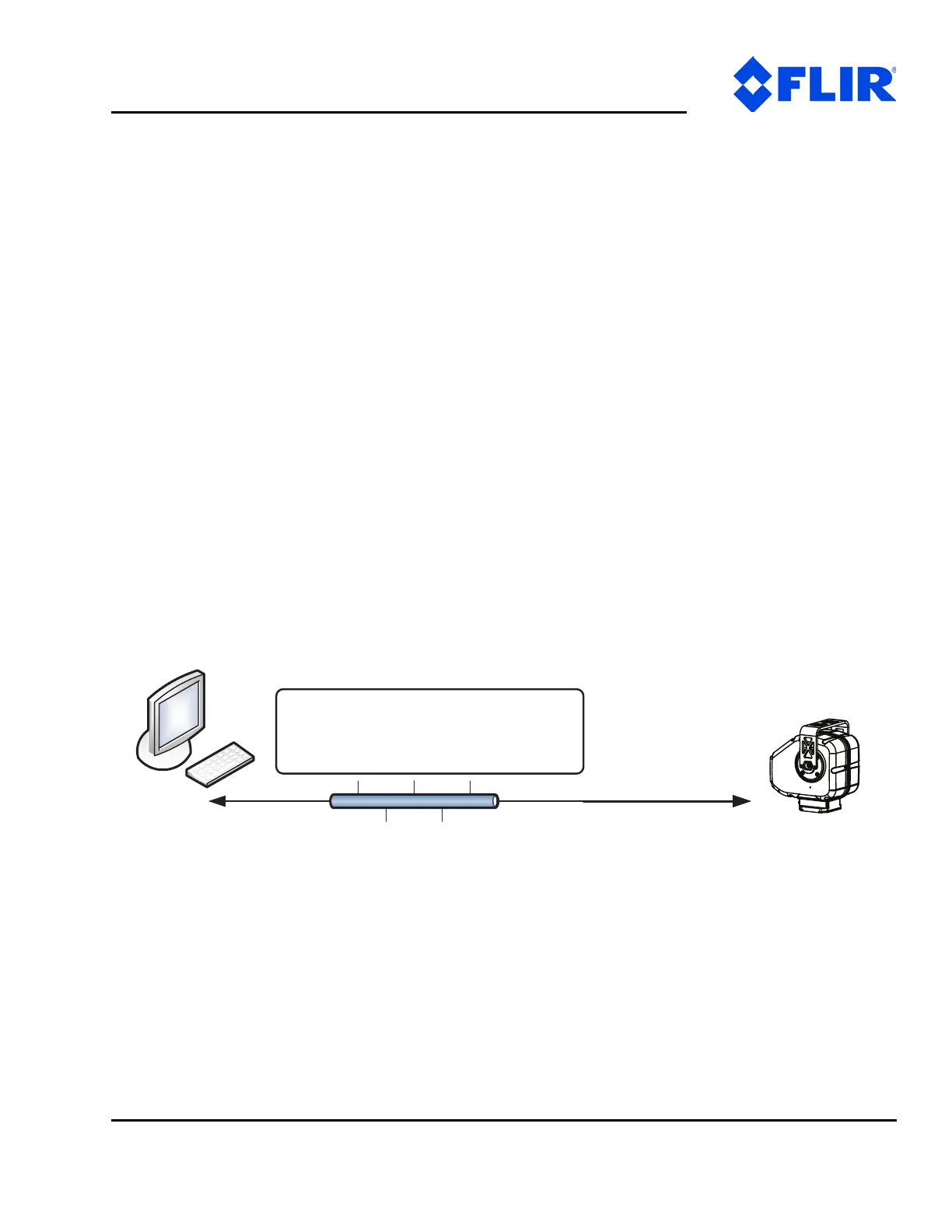
Figure 3-1: Pan-Tilt System Overview
You may control the PTU from any host computer using either the built-in Web interface or the ASCII
protocol described in the included Pan-Tilt E Series Command Reference Manual. The PTU also supports
a binary protocol via a C Software Development Kit (PTU-SDK) for high speed, hard real-time controls
such as tracking. Drivers are also available using third-party software packages such as LabVIEW and
digital video control systems.
Basic PTU Connections
- Ethernet – 4C
- RS-485 Serial (w/USB adapter)
Host
PTU


 To Next Page