PTU-5 User Manual
Copyright 2017, FLIR Commercial Systems, Inc.
C-2
C.2.1 - Serial Networking Connections
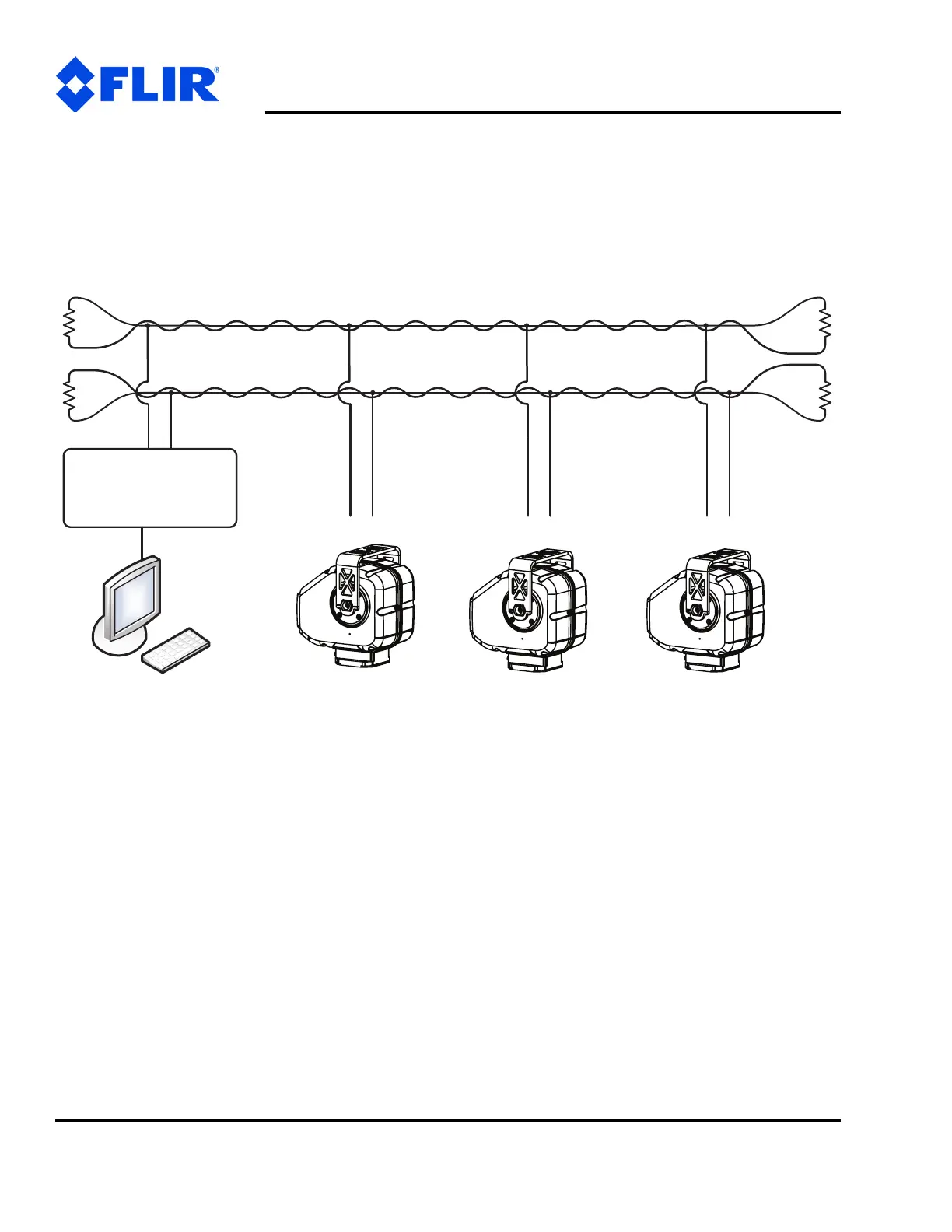
Multiple PTUs can be networked and connected to the host computer’s RS-232 port. All network
communications use RS-485, meaning that you must have an RS-232 to RS-485 adapter if the host
computer does not directly support full-duplex RS-485 I/O. The host computer functions as the network
host, meaning that its TX and RX lines define the directions of data traffic flow. Each PTU on the network
is a client that communicates with the host using a full-duplex connection.
Figure C-1: PTU Network Configuration
When making your own data cables, FLIR Systems, Inc. recommends using a good quality twisted pair
cable with about 100Ω impedance, which provides good noise immunity for RS-485 connections.
The following RS-232 to RS-485 converters are recommended:
• ATEN IC-485S
•Moxa A50
Both adapters require a flipped RJ-12 connector (such as a standard phone cord).
Terminate the serial network by placing 120 Ω 1% resistors between the RS-485 Transmit+/Transmit-
(Tx+/Tx-) and Receive+/Receive- (Rx+/Rx-) wires at each end of the network, as shown in Figure C-1.
RS-232<->RS-485
or
USB<->RS-485
Converter
Host
RS-232 or USB
xRxTxRxTxRxTxRxT
584-SR584-SR584-SR584-SR
RS-485 Multi-Drop
TX Twisted Pair
RS-485 Multi-Drop
RX Twisted Pair
120ȍ1%
120ȍ1%
120ȍ1%
120ȍ1%



 To Next Page