EasyManua.ls Logo

Fluidwell E119-P - User Manual

Fluidwell E119-P
76 pages
Print Icon
To Next Page IconTo Next Page
Loading...
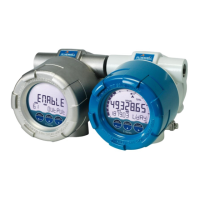
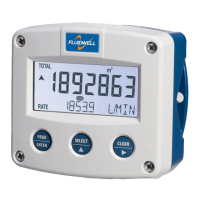
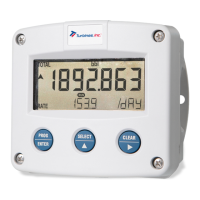
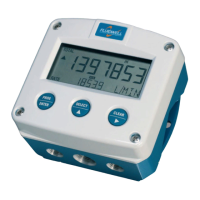
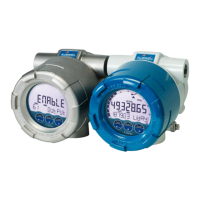
E119-P
TOTALIZER WITH RECEIPT PRINTER DRIVER
and linearization, analog and pulse outputs
Signal input: Flowmeter - type P: Pulse, NAMUR and coil
Signal outputs: Analog referenced linearized flowrate
Scaled or unscaled pulse referenced total
Remote control: External reset with clear-lock
External end delivery with lock function
External print totalizer ticket
External reprint last ticket
E-Series - Explosion proof indicators for hazardous areas
More info: www.fluidwell.com/eseries

Table of Contents

Questions and Answers

  • K
    Kelly HoffmanSep 12, 2025
    Why does the Fluidwell Measuring Instruments flowrate display "0 / zero" while there is flow (total is counting)?
    • J
      Jennifer MeltonSep 12, 2025
      If the Fluidwell Measuring Instruments flowrate displays "0 / zero" while the total is counting, the issue might be: * Incorrect K-factor and time unit. * A mismatch between the flowrate calculation setting and the flowrate cut-off. For example, if the cut-off is set to 10.0 seconds, the unit needs at least 10 seconds to measure the number of pulses according to the calculation.
  • M
    Michele SavageSep 14, 2025
    What to do if the pulse output of my Fluidwell E119-P Measuring Instruments does not function?
    • B
      Benjamin StevensonSep 14, 2025
      If the pulse output of your Fluidwell Measuring Instruments isn't functioning, verify: * The function mode. * The pulse per quantity. * The pulse width compatibility with the external device.

Fluidwell E119-P Specifications

General IconGeneral
BrandFluidwell
ModelE119-P
CategoryMeasuring Instruments
LanguageEnglish

Related product manuals