EasyManua.ls Logo

Fluidwell E018 - User Manual

Fluidwell E018
64 pages
Print Icon
To Next Page IconTo Next Page
Loading...
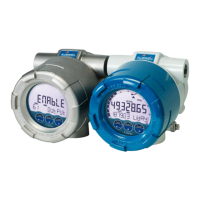
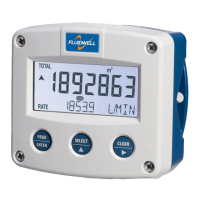
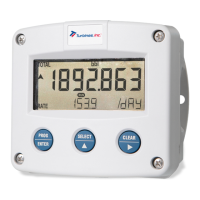
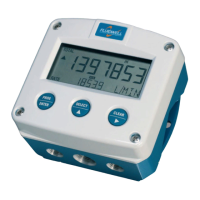
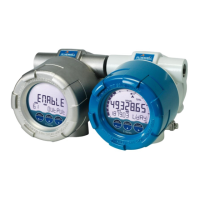
E018-P
FLOWRATE MONITOR / TOTALIZER
with linearization, high / low alarms, analog and pulse signal
outputs and HART communication
Signal input: Flowmeter - type P: Pulse, NAMUR and coil
Signal outputs: Analog referenced flowrate
Scaled or unscaled pulse referenced total
Remote control: External reset with clear-lock
Options: HART communication
E-Series - Explosion proof indicators for hazardous areas
More info: www.fluidwell.com/eseries

Table of Contents

Other manuals for Fluidwell E018

Questions and Answers

  • J
    Jason PrinceAug 17, 2025
    Why is my Fluidwell E018 flowmeter generating too many pulses?
    • E
      Erin JohnsonAug 17, 2025
      If your Fluidwell Measuring Instruments flowmeter generates too many pulses, check the settings for Total and Flowrate and the type of signal selected versus the actual signal generated. Also, verify the sensitivity of the coil input. Ensure proper grounding by reconnecting ground cables and avoiding ground loops, connecting the screen to the ground input terminal of the flowmeter input. Use screened wire for flowmeter signals.
  • J
    Jennifer BallAug 20, 2025
    What to do if the analog output of Fluidwell E018 Measuring Instruments does not function properly?
    • W
      William CohenAug 20, 2025
      If the analog output of your Fluidwell Measuring Instruments does not function properly, check the function mode and the settings for minimum and maximum flowrate. Also, verify the tuning of the minimum and maximum output current. Finally, confirm the connection of the external power supply.
  • J
    Jeremy MarshallAug 22, 2025
    How to troubleshoot a Fluidwell Measuring Instruments flowmeter that does not generate pulses?
    • W
      William FoxAug 22, 2025
      If your Fluidwell Measuring Instruments flowmeter does not generate pulses, check the signal selection in the SETUP menu. Verify the pulse amplitude and inspect the flowmeter, wiring, and connection of terminal connectors. Also, check the power supply of the flowmeter.
  • S
    Shelley SanchezAug 26, 2025
    What to do if the pulse output on my Fluidwell Measuring Instruments is not working?
    • C
      Catherine SteinAug 26, 2025
      If the pulse output of your Fluidwell Measuring Instruments does not function, check the function mode. Verify the pulse per quantity and ensure pulse width compatibility with the external device.
  • A
    Anthony LeeAug 27, 2025
    Why does my Fluidwell E018 Measuring Instruments flowrate display zero when there is flow?
    • K
      Kevin TorresAug 27, 2025
      If the flowrate displays "0 / zero" while there is flow (total is counting) on your Fluidwell Measuring Instruments, check the K-factor and time unit. Also, verify the flowrate calculation setting versus the flowrate cut-off. For example, if the cut-off is set to 10.0 seconds, the unit has at least 10 seconds to measure the number of pulses according to the calculation.
  • J
    Justin WrightAug 30, 2025
    Why does the Fluidwell E018 Measuring Instruments flowmeter display '0 / zero' when there is flow and the total is counting?
    • D
      Daniel CarneyAug 30, 2025
      The flowrate might display zero while there is flow because of the K-factor and time unit settings. Check the FLOWRATE > TIME and FLOWRATE > K-FACTOR settings. Also, the flowrate calculation setting versus the flowrate cut-off could be the reason. For example, if the cut-off is set to 10.0 seconds, the unit needs at least 10 seconds to measure the number of pulses according to calculation. Verify the FLOWRATE > CALCULATION and FLOWRATE > CUT-OFF settings.
  • N
    Nicholas JohnsonSep 1, 2025
    Why Fluidwell Measuring Instruments flowmeter generates too many pulses?
    • W
      wgibsonSep 1, 2025
      The flowmeter might be generating too many pulses due to incorrect settings for Total and Flowrate. Check SETUP 5: FLOWMETER. It could also be due to the type of signal selected not matching the actual signal generated; again, verify this in SETUP 5: FLOWMETER. Another potential cause is the sensitivity of the coil input, which can also be adjusted in SETUP 5: FLOWMETER. Ensure correct grounding by reconnecting ground cables and avoiding ground loops, and connect the screen to the ground input terminal of the flowmeter input. Finally, ensure you are using screened wire for flowmeter signals.
  • L
    Lisa RiveraSep 4, 2025
    How to fix Fluidwell Measuring Instruments pulse output if it does not function?
    • S
      Stephanie MooreSep 4, 2025
      If the pulse output isn't working, check the function mode in SETUP 8: RELAY OUTPUTS. Also, verify the pulse per quantity setting at 8.6: RELAY OUTPUTS > AMOUNT and ensure the pulse width is compatible with the external device by checking 8.5: RELAY OUTPUTS > WIDTH.
  • M
    Mrs. Rachel PetersonSep 6, 2025
    How to troubleshoot Fluidwell Measuring Instruments flowmeter when it does not generate pulses?
    • M
      Michael TylerSep 7, 2025
      If the flowmeter isn't generating pulses, first check the signal selection in SETUP menu using SETUP 5.1: FLOWMETER > SIGNAL [»25]. Then, verify the pulse amplitude as described in Section 6.4.10: Terminals S1-S3: Flowmeter input [»45]. Ensure the flowmeter, wiring, and terminal connectors are correctly installed according to Section 6.4: Electrical installation [»39]. Finally, confirm the power supply of the flowmeter is correctly set up, referring to Section 6.4.4: Voltage selection sensor supply [»41].
  • K
    kristi07Sep 9, 2025
    Why does the Fluidwell E018 flowmeter generate too many pulses?
    • J
      Joan AguilarSep 9, 2025
      The Fluidwell Measuring Instruments flowmeter might generate too many pulses due to several reasons: * Incorrect settings for Total and Flowrate. * A mismatch between the type of signal selected and the actual signal generated. * Incorrect sensitivity of the coil input. * Grounding issues: Reconnect ground cables and avoid ground loops. Connect the screen to the ground input terminal of the flowmeter input. * Incorrect wiring type: Use screened wire for flowmeter signals.

Fluidwell E018 Specifications

General IconGeneral
BrandFluidwell
ModelE018
CategoryMeasuring Instruments
LanguageEnglish

Related product manuals