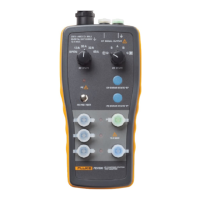
Optical Fiber Test Kit
Features
5
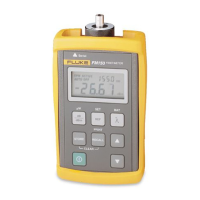
Table 1. FM150 Fiber Meter Features
Item Description
A On/off key. Hold down O to turn the meter on. The automatic power-down feature, which turns the meter off if no
keys are pressed for 5 minutes, is enabled when you turn the meter on. To disable this feature, turn the meter off;
then hold down
O
until P is displayed.
B
C
Press S to save the current measurement in non-volatile memory. Press R briefly to view or replace a saved
measurement. Hold down
R
to send stored measurements to a PC or serial printer. See “Memory Functions” and
Appendices A and B for details. To clear from memory all saved measurements for the current wavelength, hold
down
S
and
R
together until HELD appears.
D Toggles the meter between power (dBm) and loss (dB) measurements. Loss readings are compared to the stored
reference level. Hold down
D
until HELD appears to change the measurement units to µW.
E Press r briefly to display the reference value for the currently selected wavelength. Hold down r to store a new
reference value for the displayed wavelength.
F LCD display. See Figure 3 for details.
G Serial connector for printing to a serial printer or uploading saved measurements to a PC.
H Removable adapter cap with an ST connector for connecting to multimode or singlemode patch cords.
I Changes the wavelength to be measured. To see the percentage of battery life remaining, hold down N until
HELD appears.
J Used in recall mode to scroll through saved measurements.


 To Next Page