FTK200
Users Guide
6
1
5
43
2
afr03f.eps
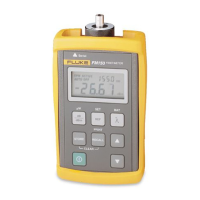
A Measurement display. LO is displayed if the optical
power reading is too small to display.
HI is displayed
if the reading is too large to display. For output power
measurements, the unit is µW or
dBm. For loss
measurements, the unit is
dB.
B AUTO OFF indicates that the meter will automatically
turn off if no keys are pressed for about 5 minutes. To
disable this feature, turn the meter off; then hold
down
O
until P is displayed.
C OPM ACTIVE indicates that the meter is on.
D BAT indicates that the battery needs to be replaced.
E REF appears when you briefly press r to see the
reference for the currently selected wavelength.
REF
and the reference value appear for about 4 seconds.
F This area shows the currently selected wavelength.
Press
N
to change the wavelength.
Figure 3. Display Features


 To Next Page