FTK200
Users Guide
2
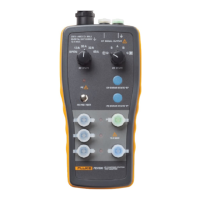
The FTK200 Kit also includes a Fluke FS150 Fiber
Source, which provides light for multimode testing at
850 nm and 1300 nm. For testing singlemode fiber, Fluke
offers the optional LS-1310/1550 Laser Source.
The instructions in this guide assume you are using the
FS150 source included. For other optical sources, refer to
the manufacturer’s instructions.
Contacting Fluke Networks
Visit Fluke's Web site at www.flukenetworks.com.
To order accessories, receive operating assistance, or get
the location of the nearest Fluke distributor or Service
Center, call:
• USA: 1-800-283-5853
• Canada: 1-800-363-5853
• Europe: +44 1923 281 300
• Japan: +81-3-3434-0181
• Singapore: +65-6738-5655
• Anywhere in the world: +1-425-446-4519
Unpacking
The equipment listed below and shown in Figure 1 is
included with the FTK200 Kit. If anything is missing or
damaged, contact the place of purchase immediately.
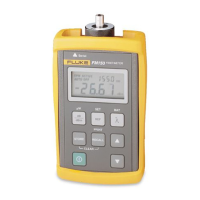
• FM150 Fiber Meter (with 9 V battery installed)
• ST adapter cap (with dust cap) for FM150 Fiber Meter
• FS150 Fiber Source (with 9 V battery and dust cap
installed)
• ST adapter cap (with dust cap) for FS150 Fiber
Source
• 2 ST/ST 3 ft (1 m) 62.5 µm multimode patch cords
• 1 ST/ST 1 ft (0.3 m) 62.5 µm multimode test jumper
• 1 ST/ST adapter (singlemode quality)
• LinkWare PC utility diskette
• RS-232 PC interface cable
• 2 recording pads
• FTK100/FTK200 Manuals CD-ROM
• Warranty registration card
• Hard carrying case


 To Next Page